A barcode type, also called a symbology, is the specific encoding standard that maps data to a scannable pattern of bars, spaces, or modules. Label Toolkit supports all major symbologies in its free browser-based designer, so you can generate, preview, and print any barcode without installing software. Choosing the wrong symbology causes scan failures, retailer chargebacks, and compliance fines, so this guide covers every major type with the concrete specs you need.
- 1D (linear) barcodes encode data in parallel bars and are standard for retail point-of-sale, shipping, and shelf labeling.
- 2D barcodes (QR, Data Matrix) store far more data in a grid and are preferred for electronics, pharmaceuticals, and direct-part marking.
- The right symbology depends on data capacity, scanner hardware, industry mandate, and available label real estate.
- Every symbology has a mandatory quiet zone (blank margin) measured in multiples of the narrowest bar, called the X-dimension; skipping it is one of the most common causes of scan failure.
What is a barcode symbology?
A symbology is a complete specification that defines how characters map to bars and spaces (or dark and light modules), what characters are legal, how the scanner verifies the data with a check digit, and what the physical size constraints are. Two barcodes can look superficially similar but be completely different symbologies that require different decoders. Think of it like file formats: a PNG and a WebP file are both images, but a program built to read one may refuse the other.
Every symbology spec sets an X-dimension, the width of the narrowest element, usually expressed in millimeters or thousandths of an inch (mils). Print density on a Zebra thermal printer is measured in dots per millimeter (dpmm) or DPI. A 203 DPI printer produces roughly 8 dpmm; a 300 DPI printer produces about 12 dpmm. The X-dimension you pick must be a whole multiple of the dot size, otherwise the printer rounds edges and scanners reject the symbol.
1D barcode types (linear symbologies)
One-dimensional barcodes encode information in a single row of parallel bars. They are fast to scan, work with every laser and CCD scanner made in the last 40 years, and are mandatory in most retail and logistics chains.
Code 128
Code 128 is the most versatile 1D symbology. It encodes all 128 ASCII characters, uses a three-subset system (A, B, and C) that allows numeric-only data to be packed two digits per symbol character, and supports a self-checking Mod-103 check character. Minimum X-dimension for most applications is 0.25 mm (roughly 10 mils). Quiet zones must be at least 10X on each side. In ZPL, you generate a Code 128 barcode with the ^BC command, for example: ^FO50,50^BCN,100,Y,N,N^FD123456789^FS. The parameters set orientation (N = normal), bar height (100 dots), human-readable line (Y), check digit (N, auto), and mode (N, automatic subset selection).
GS1-128
GS1-128 is Code 128 with a mandatory FNC1 character inserted after the start code, which flags the payload as a GS1 Application Identifier (AI) string. An AI like (00) introduces an 18-digit Serial Shipping Container Code (SSCC); (01) introduces a 14-digit GTIN. GS1-128 labels are required by most major retailers and 3PLs for carton and pallet identification. The GS1 General Specifications mandate a minimum X of 0.495 mm for distribution labels and a quiet zone of at least 10X.
Code 39
Code 39 (also called Code 3 of 9) was one of the first alphanumeric symbologies and remains common in automotive and defense supply chains (AIAG and MIL-STD-130). It encodes 43 characters: A-Z, 0-9, and seven special characters. Each character uses five bars and four spaces, three of which are wide. This makes Code 39 physically larger than Code 128 for the same payload, so it is a poor choice on small labels. Quiet zones are 10X minimum. Code 39 has an optional Mod-43 check character that many readers do not verify by default, which is a known risk in high-volume scanning environments.
UPC-A and UPC-E
The Universal Product Code (UPC-A) encodes exactly 12 digits and is the standard barcode on North American retail products. It is technically a subset of EAN-13 (see below) with an implied leading zero. The nominal X-dimension at 100 percent magnification is 0.33 mm, and the symbol is 37.29 mm wide including quiet zones. UPC-E is a 6-digit compressed version for small packages; it suppresses leading zeros and trailing zeros in the manufacturer code.
EAN-13 and EAN-8
The International Article Number (EAN-13) encodes 13 digits and is the global equivalent of UPC used outside North America. The check digit is Mod-10. EAN-8 is a compressed 8-digit version for small items. Both symbologies are governed by GS1 and use the same nominal X of 0.33 mm at 100 percent magnification. EAN-13 is 37.29 mm wide at nominal size; printing below 80 percent magnification (29.83 mm) is not recommended because scanner read rates drop sharply.
ITF-14
Interleaved 2 of 5 (ITF-14) encodes exactly 14 digits (a GTIN-14) and is typically printed directly on corrugated cardboard cases because it tolerates the rough surface and slight dot gain. It uses a bearer bar, a rectangular frame around the symbol, to prevent partial scans from edges. Minimum X is 0.635 mm for direct print on corrugated. Quiet zones are 10X, but the bearer bar effectively enforces this. ITF-14 cannot encode letters, so it is purely for numeric trade item identifiers.
Codabar
Codabar encodes digits 0-9 and six special characters. It was once common in libraries, blood banks, and FedEx airbills, but has largely been replaced by Code 128 in new implementations. Its main survival niche is legacy systems that are expensive to update.
2D barcode types (matrix symbologies)
Two-dimensional barcodes store data in a two-dimensional grid of dark and light modules. A single 2D code can hold hundreds to thousands of characters, supports error correction (so a partially damaged symbol still scans), and can encode binary data and Unicode text. They require a 2D imager or camera scanner; traditional laser line scanners cannot read them.
QR Code
Quick Response (QR) codes were developed by DENSO WAVE in 1994 for automotive component tracking. A QR code can encode up to 3,116 numeric characters or 2,953 bytes of binary data, depending on version (1 through 40, where version 1 is 21x21 modules and version 40 is 177x177 modules). Error correction comes in four levels: L (7% recovery), M (15%), Q (25%), and H (30%). Higher error correction makes the symbol physically larger for the same payload.
The minimum module size for reliable scanning is roughly 0.25 mm with a high-quality imager; for consumer smartphone scanning, 0.33 mm or larger is more reliable. The quiet zone is 4 modules on every side, per the ISO/IEC 18004 standard maintained by DENSO WAVE. In ZPL, use ^BQ to place a QR code: ^FO50,100^BQN,2,5^FDQA,https://labeltoolkit.com^FS generates a QR code with error correction level Q and module size 5 dots.
Data Matrix
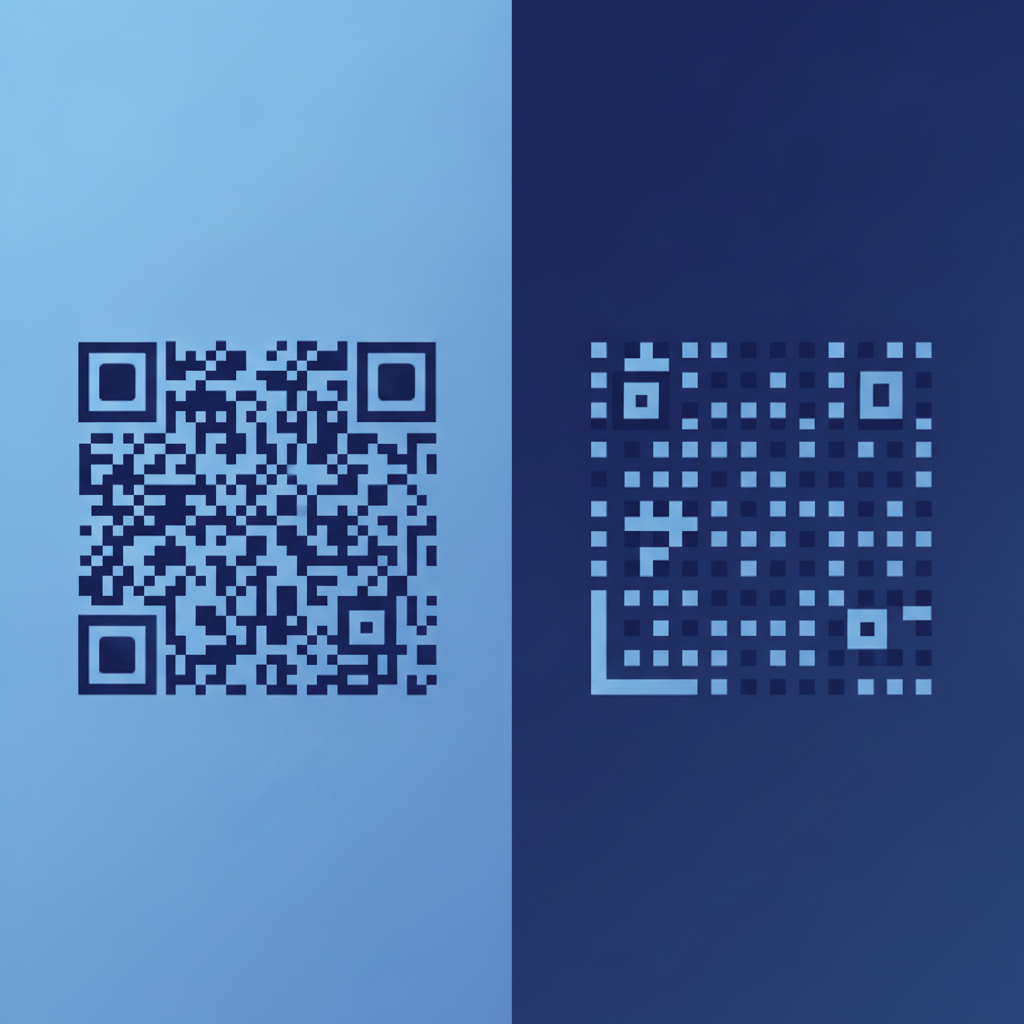
Data Matrix (standardized as ISO/IEC 16022) encodes up to 3,116 numeric or 2,335 alphanumeric characters in a square or rectangular grid. It is mandatory in the pharmaceutical industry under FDA 2D labeling rules and is the primary symbology for GS1 DataMatrix on healthcare products. Crucially, Data Matrix can be printed at very small sizes, as small as 1 mm x 1 mm in direct-part marking (DPM) on metal parts using laser etching or dot peen, where a QR code of the same data capacity would be physically larger. The finder pattern is an L-shaped solid border on two sides and an alternating border on the other two.
PDF417
PDF417 (Portable Data File, 417) is a stacked linear barcode, technically a 2D symbology, that encodes up to 1,108 bytes or 1,850 text characters. It is used on US driver licenses (AAMVA standard), airline boarding passes (IATA), and some shipping labels. It requires a 2D imager but is taller and narrower than a square QR code, which can fit certain label geometries better. The quiet zone is 2X on left and right, and 2 rows on top and bottom.
Aztec Code
Aztec Code is used almost exclusively on transport tickets (European rail, some airlines) where small size and high error correction are critical. It has no quiet zone requirement because the finder pattern is a bullseye in the center of the symbol, not on the edges. It is uncommon outside transport ticketing.