← Back to Blog
Barcodes & QR Codes

Code 128 Barcode: Format, Character Set, and When to Use It

Benjamin HayesAugust 7, 2026529 views

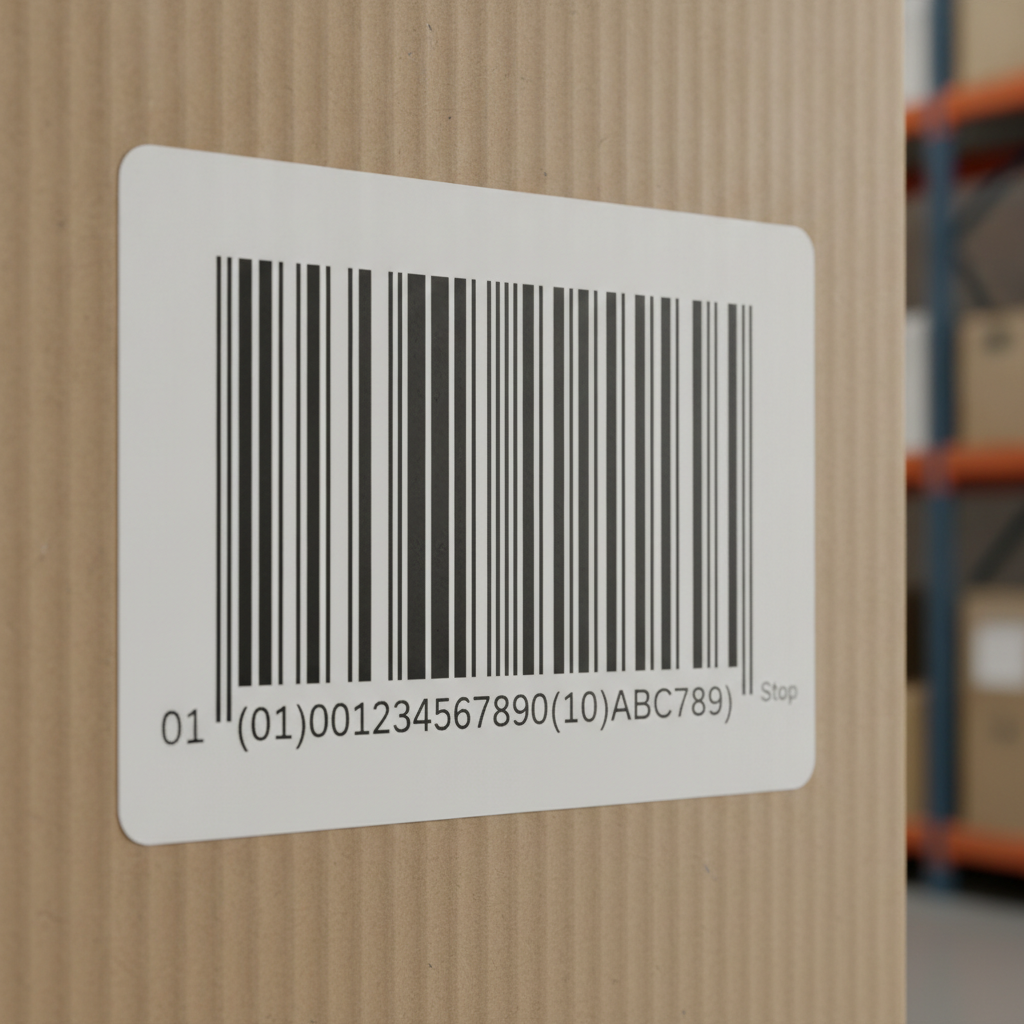
A Code 128 barcode is a high-density, variable-length linear (1D) symbology that can encode the full 128-character ASCII set, making it the standard choice for shipping labels, carton marking, and GS1-128 compliance. Label Toolkit generates Code 128 barcodes natively in the browser, no software to install, and exports them to vector PDF or Zebra ZPL.

  • Code 128 encodes all 128 ASCII characters across three subsets (A, B, C) and achieves the highest data density of any alphanumeric 1D barcode.
  • Every Code 128 symbol includes a mandatory check digit calculated with a weighted modulo-103 algorithm, so errors in printing are detected automatically.
  • Minimum quiet zones are 10 times the narrow bar width (10x) on each side; skipping this causes scan failures more often than any other sizing mistake.
  • GS1-128 is a direct application of Code 128 with a Function Code 1 (FNC1) start character added to signal that the data follows GS1 Application Identifier structure.

What does a Code 128 barcode look like?

Every Code 128 symbol is built from the same repeating unit: a module, which is the width of one narrow bar or space. Each encoded character maps to three bars and three spaces, all sized as multiples of 1, 2, 3, or 4 modules. A standard symbol has this fixed structure from left to right:

  1. Left quiet zone: at least 10 modules of white space (10x the narrow bar width).
  2. Start character: one of three fixed patterns, Start A (211412), Start B (211214), or Start C (211232), where each digit is a module count.
  3. Encoded data characters: variable length, one character per three-bar/three-space group, each group exactly 11 modules wide.
  4. Check character: a single symbol character calculated by the printer or software before the stop bar is drawn.
  5. Stop character: a fixed 13-module pattern (2331112) shared by all three subsets, followed by a 2-module termination bar.
  6. Right quiet zone: at least 10 modules of white space.

Total symbol width in millimeters depends on two things: the number of characters in your data and the X-dimension (the width of one narrow module, often called the X-dim). A 20-character Code 128 at a 0.25 mm X-dim measures roughly (20 characters x 11 modules + start + check + stop + both quiet zones) x 0.25 mm, coming out around 18 to 20 mm wide. At the GS1-recommended minimum X-dim of 0.495 mm for retail-adjacent applications, the same string nearly doubles in width.

The three subsets: A, B, and C explained

Code 128 achieves full ASCII coverage by defining three subsets. A decoder always knows which subset is active because the start character and any mid-stream Code A, Code B, or Code C shift commands signal it explicitly.

SubsetCharacters encodedBest used forData density per character
Code AASCII 00 to 95 (control codes, uppercase, digits, punctuation)Labels that must encode non-printable control characters such as FNC1, STX, or ETX1 character per 11 modules
Code BASCII 32 to 127 (all printable ASCII including lowercase)General alphanumeric strings, part numbers, serial numbers, URLs1 character per 11 modules
Code CDigit pairs 00 to 99 (pure numeric only)Long numeric strings; encodes 2 digits per 11 modules, so a 20-digit number is half the width of Subset B2 digits per 11 modules

A good encoder switches subsets mid-symbol automatically. For example, encoding the string "SHIP-001234567890" would use Subset B for the alphanumeric prefix and shift to Subset C for the trailing digits, cutting symbol width by roughly 30 percent compared to staying in Subset B throughout. Label Toolkit handles this optimization automatically when you drop a Code 128 element onto your label.

How the check digit works

Code 128 uses a modulo-103 check character. The calculation is straightforward:

  1. Assign the start character its value: Start A = 103, Start B = 104, Start C = 105.
  2. For each data character, look up its Code 128 value (a standardized table running 0 to 102).
  3. Multiply each character's value by its position number, where the first data character is position 1, the second is position 2, and so on.
  4. Sum all those products and add the start character value.
  5. Divide the total by 103 and take the remainder. That remainder is the check character value, encoded as a symbol character before the stop bar.

Scanners verify this math on every scan. A single-module print defect that changes one bar width typically shifts the character value enough that the check fails and the scanner rejects the read rather than passing a wrong number, which is exactly the behavior you want in a warehouse or at a point of sale.

Quiet zones: the silent rule that kills most scan failures

The quiet zone is the blank white space surrounding the barcode symbol. The GS1 General Specifications require a minimum quiet zone of 10x (ten times the X-dimension) on both the left and right sides of a Code 128 symbol. At a 0.25 mm X-dim that is 2.5 mm per side. At a 0.495 mm X-dim it is 4.95 mm per side.

The quiet zone is measured from the outermost bar edge, not from the edge of any printed border or background. Cutting it short by even 1 to 2 mm is the single most common reason scanners intermittently fail on labels that look fine to the eye. If you print a border box around your label, make sure no side of that box encroaches on the quiet zone.

Code 128 vs other 1D symbologies

SymbologyCharacter setMax data densityVariable length?Check digit?Typical use
Code 128Full ASCII (128 chars)High (especially Subset C)YesYes (mod 103)Shipping, logistics, GS1-128
Code 3943 characters (uppercase, digits, limited symbols)Low (3 wide elements per char)YesOptionalLegacy industrial, automotive
ITF-14Digits onlyMediumFixed 14 digitsYes (mod 10)Cartons, case-level GTINs
UPC-ADigits onlyMediumFixed 12 digitsYes (mod 10)US retail point of sale
EAN-13Digits onlyMediumFixed 13 digitsYes (mod 10)International retail POS

The practical conclusion: choose Code 128 whenever your data includes letters, mixed alphanumerics, or long digit strings where width matters. Choose UPC-A or EAN-13 only for retail shelf items scanned at a register; those formats are fixed-length by standard. For a broader comparison of all major symbologies, the complete guide to barcode types covers every format in the same depth.

GS1-128: Code 128 with structured data

GS1-128 (formerly called UCC-128 or EAN-128) is Code 128 with one rule added: the symbol must begin with a Function Code 1 (FNC1) character immediately after the start character. That FNC1 acts as a flag telling any GS1-compliant scanner that what follows is a sequence of GS1 Application Identifiers (AIs).

An Application Identifier is a 2 to 4 digit prefix that defines the meaning and length of the data field that follows it. For example:

  • (00) Serial Shipping Container Code (SSCC), 18 digits
  • (01) Global Trade Item Number (GTIN), 14 digits
  • (10) Batch or lot number, variable length up to 20 characters
  • (17) Expiry date, 6 digits (YYMMDD)
  • (310n) Net weight in kilograms, 6 digits

A single GS1-128 symbol can chain multiple AIs, separated by FNC1 delimiters when the preceding AI is variable length. This is why GS1-128 labels on cartons often contain shipment, batch, weight, and expiry data all in one barcode. The full GS1 Application Identifier list is published and maintained by GS1.

Printing Code 128 on Zebra printers with ZPL

On a Zebra thermal printer, the ^BC command generates a Code 128 barcode. A minimal ZPL snippet looks like this:

^XA
^FO50,50
^BCN,80,Y,N,N
^FD>:SHIP-001234567890^FS
^XZ

Breaking that down:

  • ^FO50,50: places the field origin at 50 dots from the left edge and 50 dots from the top (at 203 dpi, 50 dots is about 6.3 mm).
  • ^BCN,80,Y,N,N: Code 128, normal orientation (N), height 80 dots (about 10 mm at 203 dpi), print human-readable text below (Y), no check digit printed separately (N), no UCC/EAN mode (N).
  • ^FD>:SHIP-001234567890: field data; the >: prefix tells the firmware to start with Subset C if the data qualifies, otherwise default to the optimal subset selection.

For GS1-128 mode you replace ^BCN with ^BCN,80,Y,N,Y (the last parameter enables UCC/EAN mode, which inserts the FNC1 automatically). The full syntax reference with every parameter option is covered in the ^BC ZPL command reference.

At 203 dpi (dots per inch), one dot is 0.125 mm. At 300 dpi, one dot is 0.0847 mm. A Code 128 height of 80 dots is therefore 10 mm at 203 dpi and 6.8 mm at 300 dpi. Always specify height in dots relative to the printer resolution you are targeting, or your barcodes will be taller or shorter than expected on a different printer.

X-dimension guidelines for common applications

The X-dimension is the width of the narrowest bar or space in the symbol, and it is the single most important sizing decision you make. Too narrow and bars bleed together on a low-resolution printer; too wide and the symbol takes up too much label space.

ApplicationMinimum X-dimTarget X-dimSource
GS1-128 on cartons (logistics)0.495 mm (19.5 mil)0.940 mmGS1 General Specifications
General warehouse / internal0.191 mm (7.5 mil)0.250 to 0.330 mmAIM ISO/IEC 15417
Healthcare (HIBCC)0.250 mm (10 mil)0.330 mmHIBCC bar code standards
Zebra ZD420 at 203 dpi1 dot = 0.125 mm; minimum 2 dots = 0.250 mm3 dots = 0.375 mmZebra ZPL Programming Guide

When should you use Code 128?

Code 128 is the right choice when any of these conditions apply:

  • Your data contains both letters and numbers (part numbers, serial numbers, tracking IDs).
  • You need GS1-128 compliance for retailer or carrier EDI requirements (Amazon, Walmart, FedEx, UPS, DHL all accept or require GS1-128 on carton labels).
  • You are printing on a thermal printer and need the highest data density available in a linear format.
  • You need to encode control characters or special functions that Code 39 cannot represent.
  • Your label format is constrained in width and a long numeric string must fit: Subset C halves the barcode width compared to Code 39 or Subset B.

Code 128 is not the best choice when you need a fixed-format retail POS barcode (use UPC-A or EAN-13), when the scanning environment demands very high damage tolerance (use Data Matrix or QR Code), or when a regulatory standard explicitly mandates a different symbology such as ITF-14 for carton-level GTINs in some retail programs.

Generating a Code 128 barcode with Label Toolkit

  1. Open the designer at Label Toolkit designer and choose or create a label size.
  2. Click the Barcode element in the left panel and select Code 128 from the symbology dropdown.
  3. Type or paste your data string. The encoder automatically picks the optimal subset mix.
  4. Set the X-dimension and height in the properties panel. For a standard 4x6 inch shipping label, 0.33 mm X-dim and 15 mm height is a good starting point.
  5. Check that the quiet zone whitespace around the barcode is unobstructed by borders, images, or text fields.
  6. Export to vector PDF for offset or inkjet printing, or export ZPL to send directly to a Zebra printer.

If you are printing variable data across many labels, the data merge feature lets you pull a column of serial numbers or tracking codes from a CSV or spreadsheet and generate one barcode per row automatically. See the guide on auto-numbering and conditional fields for bulk labels for the exact workflow.

Frequently asked questions

What is the difference between Code 128 and GS1-128?

GS1-128 is Code 128 with a mandatory FNC1 character inserted right after the start character, signaling that the data contains GS1 Application Identifiers. Structurally they are the same symbology; GS1-128 is a restricted application standard built on top of Code 128.

Can Code 128 encode lowercase letters?

Yes. Subset B covers all printable ASCII characters including lowercase a through z (ASCII 97 to 122). Subset A covers uppercase and control characters but not lowercase, so a good encoder defaults to Subset B or switches automatically when lowercase is detected.

How long can a Code 128 barcode be?

There is no hard character limit in the specification, but practical limits come from scanner beam width and label size. Most scanners handle up to 48 characters reliably. Beyond 30 to 40 characters, consider a 2D symbology such as Data Matrix or QR Code, which pack far more data into the same physical area.

Why does my Code 128 barcode not scan?

The three most common causes are: quiet zone violations (less than 10x the X-dim on either side), an X-dimension too narrow for the printer resolution (sub-0.25 mm on a 203 dpi Zebra printer causes bar bleed), and bar height too short relative to the scan beam angle. Start by increasing height to at least 5 mm and verifying the quiet zone is clear.

What is the minimum height for a Code 128 barcode?

The ISO/IEC 15417 standard recommends a minimum height of 15 percent of the symbol length or 5 mm, whichever is greater. GS1 sets a minimum of 32 mm for logistics carton labels. Shorter bars are harder to read with fixed-mount linear scanners because the beam has less tolerance for label tilt.

Ready to design and print a Code 128 barcode label right now? Create a free Label Toolkit account and generate your first label in minutes, no download required.

Related reading: QR Code vs Data Matrix: Which 2D Barcode Should You Use

#code 128 barcode #barcode symbology #GS1-128 #linear barcode #1D barcode #shipping labels #barcode format
BH
Written by Benjamin Hayes
View profile →