Nutrition facts label requirements are defined by the FDA under 21 CFR 101.9 and mandate specific nutrients, serving sizes, type sizes, and panel formats for virtually every packaged food sold in the United States. Label Toolkit provides a free, browser-based FDA nutrition facts template so you can build a compliant label in minutes without installing any software.
21 CFR 101.9 lists 15 mandatory nutrients that must appear on every standard Nutrition Facts panel, in a fixed order.
Serving size is set by Reference Amounts Customarily Consumed (RACC), not the manufacturer's preference, and triggers dual-column requirements when a package contains 200 to 300 percent of the RACC.
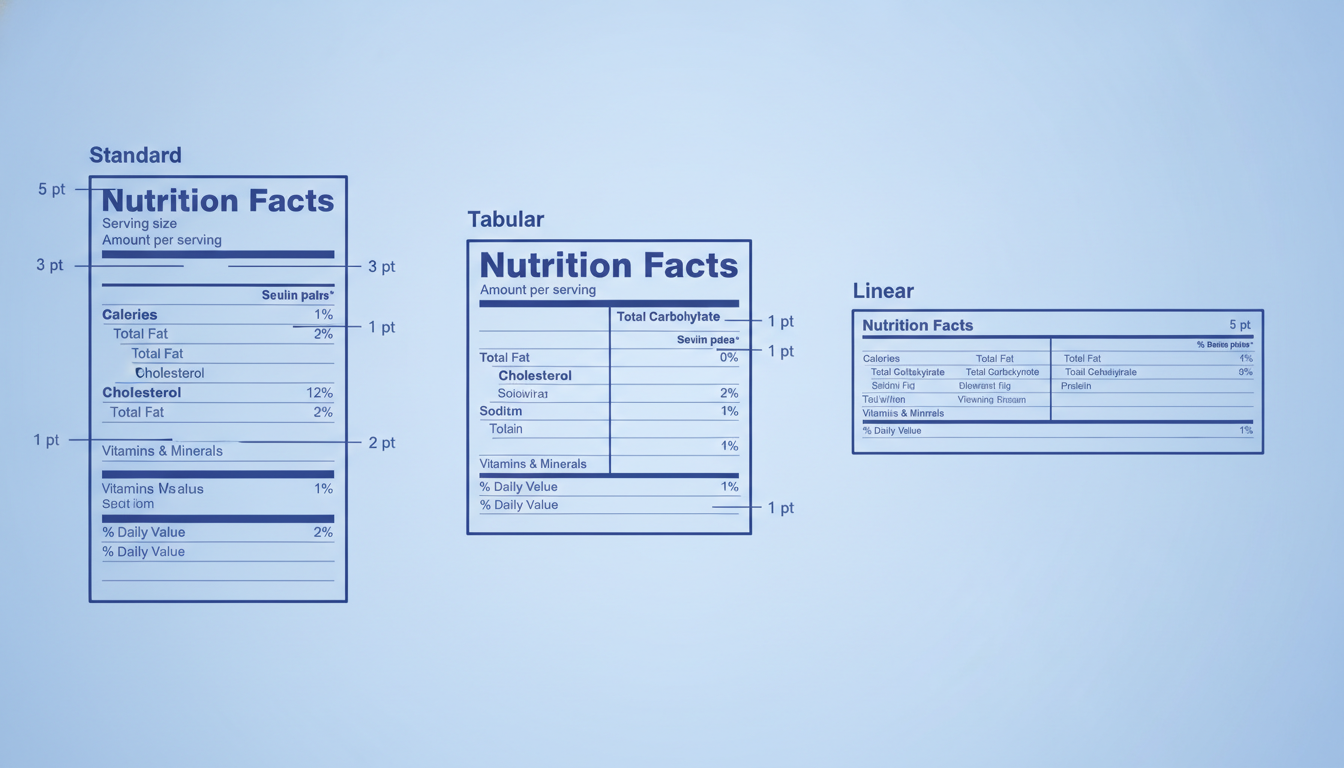
Four panel formats exist: Standard, Tabular, Linear, and Simplified. The format you must use depends on the total available display area of the package.
Minimum type sizes start at 6 point for most nutrients, with "Calories" required at a minimum of 24 point in the standard format.
Who must comply with 21 CFR 101.9?
Almost every packaged food product offered for sale in the US needs a Nutrition Facts panel. The regulation covers domestic manufacturers and importers alike. Small businesses with fewer than 10 full-time employees and annual food sales under $10 million qualify for an extended compliance timeline, but the format and content rules are identical once they do comply. Raw produce, single-ingredient raw meat, and certain restaurant foods are exempt under separate rules, but packaged snacks, beverages, supplements (which follow 21 CFR 101.36 instead), and virtually everything else on a retail shelf must meet 21 CFR 101.9.
What are the 15 mandatory nutrients?
The FDA specifies the exact nutrients that must appear, the order they appear in, and the units used. Getting the order wrong is a labeling violation even if every value is accurate.
Order
Nutrient
Unit
Daily Value (DV) reference
1
Calories
kcal
2,000 kcal reference
2
Total Fat
g
78 g
3
Saturated Fat
g
20 g
4
Trans Fat
g
No DV established
5
Cholesterol
mg
300 mg
6
Sodium
mg
2,300 mg
7
Total Carbohydrate
g
275 g
8
Dietary Fiber
g
28 g
9
Total Sugars
g
No DV established
10
Added Sugars
g
50 g
11
Protein
g
50 g
12
Vitamin D
mcg
20 mcg
13
Calcium
mg
1,300 mg
14
Iron
mg
18 mg
15
Potassium
mg
4,700 mg
The DV figures above align with the updated 2016 reference values that became mandatory for most manufacturers on January 1, 2020. Vitamins A and C, previously mandatory, are now voluntary and may be included but are no longer required.
How is serving size determined?
Serving size on a Nutrition Facts panel is not what the manufacturer recommends eating. It is the Reference Amount Customarily Consumed, or RACC, which the FDA sets in 21 CFR 101.12 for more than 150 food categories. For example, the RACC for bread is 50 g, for carbonated beverages it is 360 mL, and for cookies it is 30 g. You must express the serving size in common household units (such as "1 cup" or "2 tablespoons") followed by the metric equivalent in parentheses.
Rounding rules for serving sizes
Serving sizes between 2 g and 5 g must be declared to the nearest 0.5 g. Sizes above 5 g round to the nearest 1 g. Liquid servings round to the nearest 1 mL below 5 mL, the nearest 5 mL between 5 mL and 100 mL, and the nearest 10 mL above 100 mL. These are not optional style choices; they are regulatory precision requirements.
When is a dual-column format required?
A dual-column Nutrition Facts panel shows nutrient values per serving AND per container. The FDA requires dual-column labeling when a single package contains more than one serving but could reasonably be consumed in a single sitting. Specifically, if the package contains between 200 percent and 300 percent of the applicable RACC, you must use dual columns. If the package contains more than 300 percent of the RACC for a discrete unit food (like a muffin), a single-serving label sized to the whole package is used instead.
A practical example: a 20 fl oz (591 mL) soft drink bottle holds 1.64 servings based on the 360 mL RACC. Because that falls between 200 percent and 300 percent of the RACC, the label must show a column for "per 12 fl oz" and a column for the full 20 fl oz bottle.
What are the four Nutrition Facts panel formats?
The FDA defines four layouts, and the format you use depends on the amount of available label space. Available display area (ADA), sometimes called total surface area available for labeling, is the total printable area of your package, excluding the base of a container.
Format
When to use
Key characteristic
Standard (vertical)
ADA 40 sq in or more
Full-width panel with thick rules, hairlines, and bold headers
Tabular
ADA 40 sq in or more but less than 6 inches of vertical space
Nutrients arranged in columns side by side to save height
Linear
ADA under 12 sq in
All information runs horizontally in a single line, minimum 6 pt type
Simplified
Foods with very few nutrients to declare (most values are zero or trace)
Only nutrients present in meaningful amounts are listed; a footnote notes the rest
Packages with an ADA between 12 and 40 square inches may use the Standard format if it fits or may use the Tabular format. When the ADA is under 12 square inches and the Standard or Tabular panels cannot fit at the minimum type sizes, the Linear format is permitted. If the Linear panel still cannot fit, the manufacturer may place the full Nutrition Facts panel on the company website and print the URL on the label instead, though this is a last resort under 21 CFR 101.9(j)(13)(ii).
Type size requirements: the exact minimums
Typography is one of the most commonly cited compliance gaps. The FDA specifies minimums in points (pt), where 1 point equals approximately 0.353 mm or 1/72 inch.
Element
Minimum type size
"Nutrition Facts" header
Must be the largest type on the panel; no absolute minimum is set, but it must be visually dominant
Calories (numeral)
24 pt minimum in standard format
"Calories" word label
14 pt minimum
Serving size declaration
8 pt minimum (10 pt on packages with ADA over 40 sq in)
Nutrient names and amounts
6 pt minimum
Footnote text
6 pt minimum
Linear format, all text
6 pt minimum
All type must be in a single color that contrasts with the background. Black type on white is the default; a color panel is permitted if contrast ratios remain legible. Reverse type (white on black) is allowed for the "Nutrition Facts" header bar only.
Rule lines and graphic elements
The thick rule above the "Nutrition Facts" header must be 3 pt. The rule below the serving size row is 1 pt (a hairline). The rule separating Calories from the rest of the nutrients is 3 pt. These widths are not suggestions; a panel printed with hairline rules throughout fails compliance review. The rule below Total Fat, Cholesterol, and Sodium is 1 pt each. The bottom rule above the footnote is 1 pt.
Voluntary nutrients and how to list them
Manufacturers may voluntarily declare additional nutrients. The FDA defines which voluntary nutrients are permitted and where they must appear in the list. Common voluntary additions include:
Polyunsaturated Fat and Monounsaturated Fat (listed below Saturated Fat and Trans Fat)
Soluble Fiber and Insoluble Fiber (listed below Dietary Fiber)
Sugar Alcohols (listed below Total Sugars)
Vitamins A and C, and other vitamins and minerals at 2 percent or more of the DV
You cannot add a nutrient that the FDA has not approved for voluntary declaration, and any voluntary nutrient must follow the same rounding and unit rules as mandatory ones.
Allergen and ingredient list: separate but adjacent
The Nutrition Facts panel does not include the ingredient list or the major food allergen declaration, but those two elements must appear on the same label panel or on an immediately adjacent panel. The Food Allergen Labeling and Consumer Protection Act (FALCPA) requires a "Contains" statement or parenthetical identification for the nine major allergens: milk, eggs, fish, shellfish, tree nuts, peanuts, wheat, soybeans, and sesame (sesame added by FASTER Act, effective January 1, 2023). For a full breakdown of everything that must appear on a food label alongside the Nutrition Facts panel, see our guide to US food label requirements under FDA rules.
How to build a compliant nutrition facts label in Label Toolkit
Label Toolkit's designer includes an FDA Nutrition Facts template in the 2016 format: the large Calories line, the heavy rule lines, the % Daily Value column and the Added Sugars line are already laid out. It is a starting point, not a certified label, so you enter your own values and check the result against 21 CFR 101.9. Here is the process:
Open the Label Toolkit designer and select the FDA Nutrition Facts template from the Compliance category of the template gallery.
Set your label dimensions to match your physical package panel. Common sizes are 2 x 3 inches for small pouches and 3 x 4 inches for mid-size cartons. The designer uses both inches and millimeters, so you can match your packaging spec exactly.
Update the serving size text field with your RACC-derived serving size and the household unit expression.
Enter each nutrient amount and its % Daily Value. The nutrient names are already in place, but Label Toolkit does not calculate %DV for you, so take the values from your nutrition analysis or recipe software.
If your package needs a dual-column layout, build the second column yourself: copy the value text boxes, add a "per container" heading and widen the label. The template ships as a single-column panel.
Check every type size in the inspector panel against the minimums listed above, and enlarge text for bigger packages. The designer does not enforce FDA minimums, so this check is yours.
Export as a true vector PDF for print (no rasterization, fully scalable) or export as ZPL if you are printing to a thermal printer and need the panel embedded on a shipping or compliance label.
For more compliance label formats including GHS chemical hazard panels and CE marking, the compliance label templates overview covers each format and links directly to the relevant designer presets.
Common compliance mistakes to avoid
Using the wrong RACC: Manufacturers often set serving size to match the full package or a marketing-friendly portion. The RACC is set by FDA regulation, not preference. Using the wrong RACC is one of the most frequently cited violations in FDA warning letters.
Wrong order of nutrients: Swapping Dietary Fiber and Sodium, or placing Added Sugars above Total Sugars, constitutes a formatting violation even if every value is correct.
Undeclared Added Sugars: Added Sugars is a mandatory line as of 2020. Many older label templates, including free downloads from general graphic design sites, omit it entirely.
Thin rule lines: Printing the 3 pt rules as hairlines because a designer scaled the panel down. Always check actual printed rule widths before production runs.
Calories below 24 pt: Scaling the entire panel proportionally from a large template without checking that Calories numerals remain at or above 24 pt.
Skipping the footnote: The standard footnote ("The % Daily Value tells you how much a nutrient in a serving of food contributes to a daily diet. 2,000 calories a day is used for general nutrition advice.") is mandatory in the Standard and Tabular formats unless the available space is less than 1 square inch.
Frequently asked questions
What is the minimum size a Nutrition Facts panel can be printed?
There is no single minimum panel size in absolute inches, but the FDA requires that all type meet minimum point sizes (6 pt for nutrients, 24 pt for Calories numerals in the standard format). In practice, a Standard format panel rarely prints legibly below about 1.75 x 2.5 inches. When space is tighter, you must switch to the Tabular or Linear format, which can fit on packages as small as 12 square inches of total display area.
When is the dual-column Nutrition Facts format required?
The dual-column format is required when a single package contains between 200 percent and 300 percent of the Reference Amount Customarily Consumed for that food category. It shows values per serving and per package side by side. Products above 300 percent of the RACC for discrete units use a single-serving label referencing the whole package instead.
Are voluntary nutrients like Vitamin C allowed on the Nutrition Facts panel?
Yes. Vitamins A and C are now voluntary (they were mandatory before 2020), and other FDA-approved vitamins and minerals may be listed if the product contains 2 percent or more of the Daily Value per serving. They must follow the same rounding rules and appear after Potassium in the panel order.
Does the Nutrition Facts label requirement apply to restaurant menu items?
No. Restaurants and similar retail food establishments with 20 or more locations are covered by a separate rule (21 CFR 101.11) that requires calorie disclosure on menus, not a full Nutrition Facts panel. Packaged foods sold at retail, including those sold at restaurants, follow standard 21 CFR 101.9 rules.
Can I use a colored background on a Nutrition Facts panel?
Yes, with conditions. The FDA allows a colored background if the type and rule lines are printed in a single contrasting color, the contrast is sufficient for legibility, and the "Nutrition Facts" header bar uses reverse type or a visually distinct treatment. Black on white remains the safest and most auditor-friendly choice for small brands entering retail for the first time.
Ready to build your compliant Nutrition Facts label without any software to install? Create a free Label Toolkit account and open the FDA Nutrition Facts template directly in your browser.