Some labels are not a design choice, they are a legal requirement. A food package needs a nutrition panel laid out the way the regulator specifies. A drum of solvent needs the right GHS hazard diamonds, signal word and statements. A product entering the EU or UK market needs a CE or UKCA marking plate. Label Toolkit ships a set of compliance templates that already encode these layouts, so your job is to fill in the values, not to reverse-engineer the structure from a PDF of the rules.
EU/UK nutrition declaration and US FDA Nutrition Facts panels
GHS/CLP hazard labels with the red diamonds, signal word and statement blocks
CE and UKCA marking plates
An EU cosmetic (INCI) label and an electrical rating plate
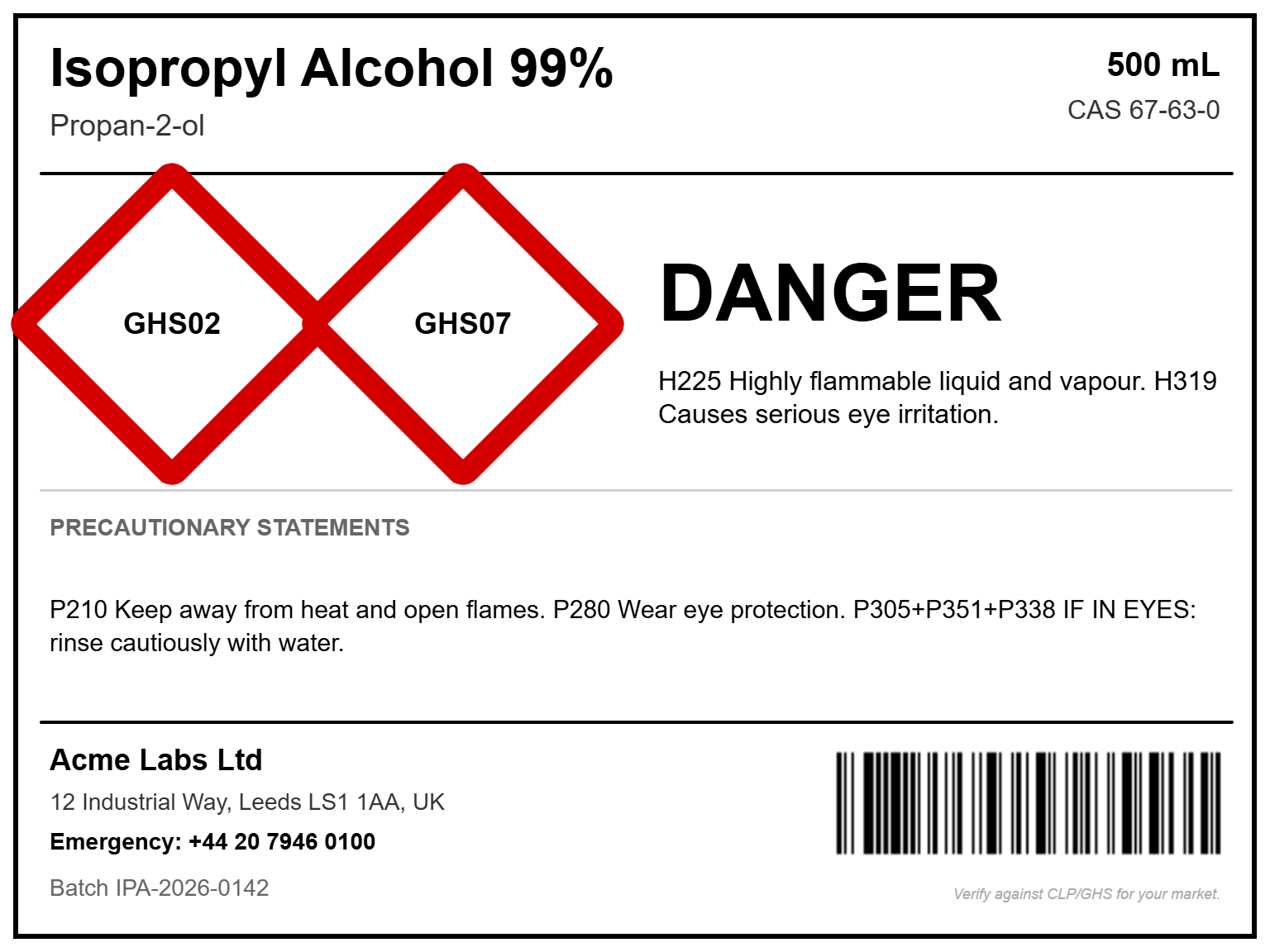
The GHS hazard template, filled in for a flammable solvent. The structure is fixed by the standard; you supply the product details.
Why a template beats a blank canvas here
Compliance layouts are unforgiving about structure. A GHS label has to carry the pictograms, a single signal word (Danger or Warning), the hazard (H) statements and the precautionary (P) statements, plus supplier identification. A nutrition panel has a prescribed order and typography. Starting from a template means the blocks are already in the right place and the right size; you cannot accidentally leave one out, and you are not eyeballing the proportions of a hazard diamond.
Fill it with your data, not by hand
Every field on these templates is a merge field. Type your values directly, or load a spreadsheet and let a column fill each label. That is how you produce a run of hazard labels for a whole product range, or nutrition panels for a dozen recipes, from one design and one export. Because the fields are data, you can keep a master sheet of products and reprint any label without touching the layout.
A word on responsibility
These templates are starting points, not legal advice. Regulations differ by market and change over time, and the exact statements, pictograms and thresholds are yours to verify. Label Toolkit gives you the correct structure and a fast way to fill it; confirming the content against the rules for the country you are shipping to is part of the job. The GHS template even carries a small reminder to that effect on the label itself.