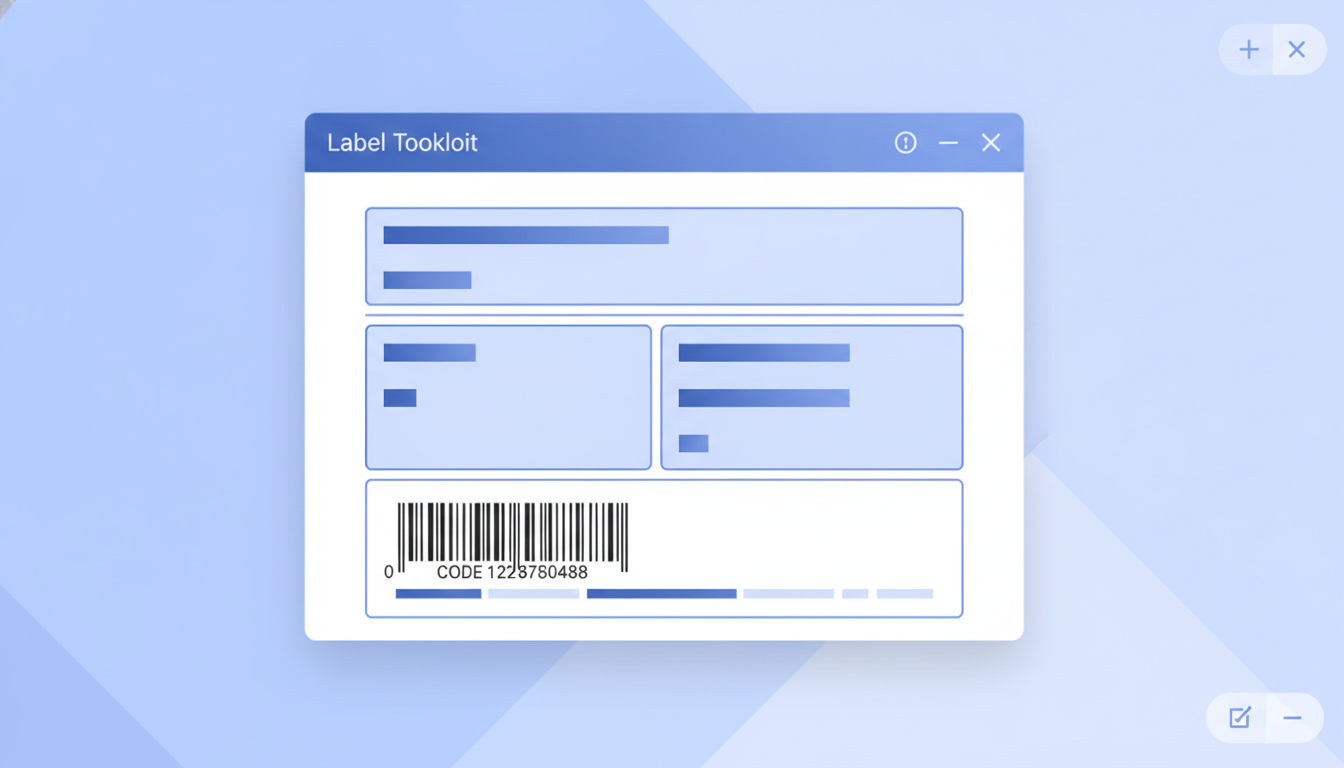
An SSCC label (Serial Shipping Container Code label) is the standardized GS1 logistics label applied to pallets and other shipping units so every party in a supply chain can identify, track, and receive that unit without manual data entry. Label Toolkit lets you design a fully compliant GS1 logistics pallet label in your browser, export a print-ready PDF, or push it straight to a Zebra printer, with no software to install.
An SSCC is an 18-digit number that uniquely identifies one shipping container globally; it is encoded in a GS1-128 barcode using Application Identifier (00).
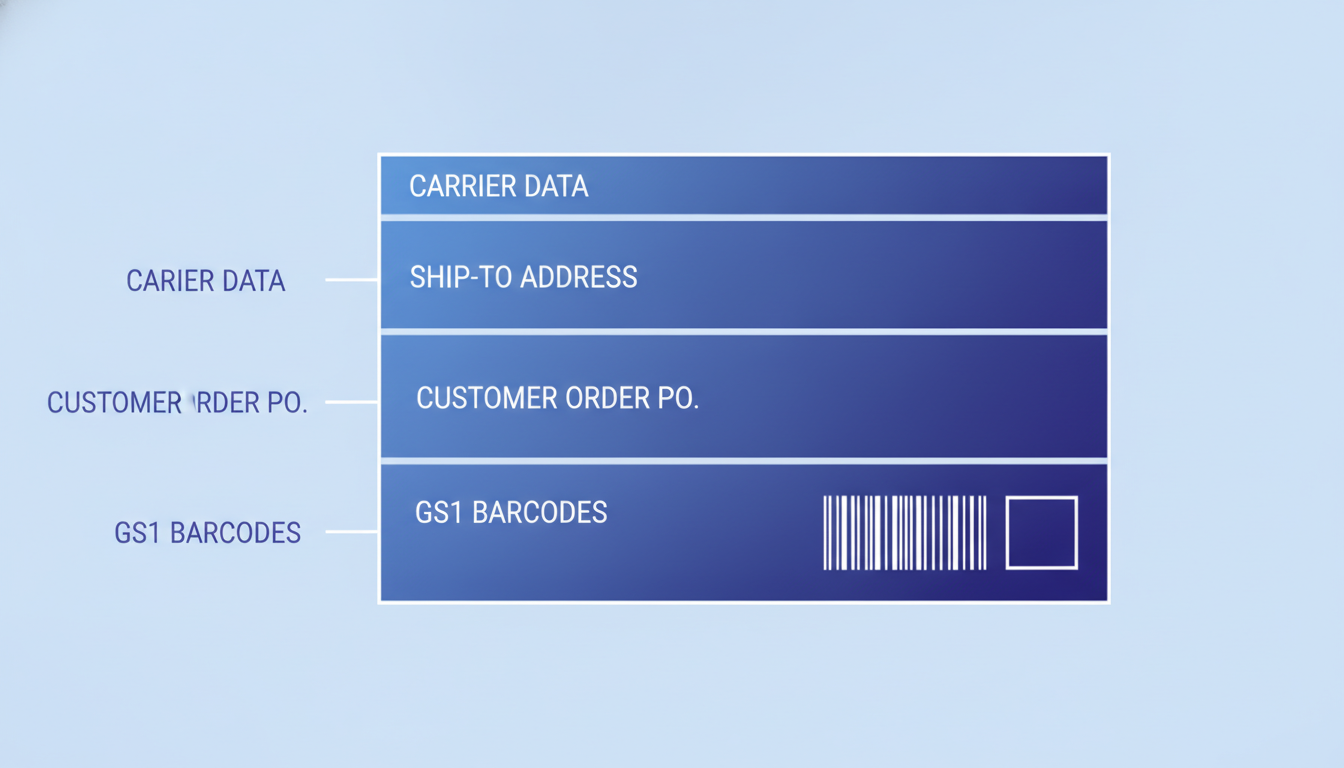
The GS1 logistics label has four horizontal zones: carrier data at the top, ship-to address, customer PO or reference data, and GS1 barcodes at the bottom.
The minimum label size is 100 mm x 150 mm (roughly 4 x 6 inches); the barcode zone must be at least 32 mm tall.
Label Toolkit supports Code 128 (the underlying symbology for GS1-128) and ITF-14 natively; true FNC1 character encoding for GS1-128 Application Identifiers is not yet supported, so verify trading-partner requirements before production use.
What Is an SSCC Number?
SSCC stands for Serial Shipping Container Code. It is a GS1-defined 18-digit identifier assigned to a logistic unit, which can be a pallet, a crate, a roll cage, or any other container that moves through a supply chain as a single unit. Unlike a GTIN (Global Trade Item Number), which identifies a product type, an SSCC identifies one specific physical instance of a shipping unit. No two SSCCs in the world should ever be the same, which is what makes pallet-level track and trace possible.
The GS1 General Specifications (the authoritative source, published at gs1.org) define the SSCC structure, encoding rules, and label layout requirements in detail.
The 18-digit SSCC structure
Every SSCC is exactly 18 digits. Reading left to right:
Position
Name
Length
Notes
1
Extension digit
1 digit
Chosen by the company issuing the SSCC; typically 0 or a serial counter digit
2 to 8 (or 2 to 9)
GS1 Company Prefix
7 to 10 digits
Licensed from GS1; length varies by country and company size
Remaining digits
Serial reference
Fills remaining positions before check digit
Assigned sequentially or randomly by the company
18
Check digit
1 digit
Calculated via the GS1 Modulo-10 algorithm
A typical GS1 Company Prefix of 7 digits leaves 9 digits for the extension digit plus serial reference, then 1 check digit. The total is always 18.
How to calculate the SSCC check digit
The check digit uses the standard GS1 Modulo-10 algorithm. Here is a worked example for the 17-digit payload 00123456700000012 (without its check digit):
Multiply each digit by 3 if its position from the right is odd (positions 1, 3, 5...) and by 1 if its position is even.
Sum all the products: in this example the sum is 42.
Find the smallest number that, when added to the sum, reaches the next multiple of 10. Here 50 minus 42 equals 8, so the check digit is 8.
Full SSCC: 00123456700000012 + check digit 8 = 001234567000000128.
GS1 provides a free check digit calculator at gs1.org/services/check-digit-calculator that handles SSCC, GTIN-14, and other GS1 keys. Use it to verify your numbers before printing.
The GS1 Logistics Label: Four-Zone Layout
The GS1 standard specifies a four-zone layout for pallet labels. The zones stack vertically and each has a defined purpose. Getting this layout right matters because warehouse scan systems, 3PLs, and retail DCs expect to find data in predictable positions.
Zone
Name
Typical content
Min height
1 (top)
Carrier / routing data
Carrier name, service level, tracking number, handling marks
No fixed minimum; typically 25 to 40 mm
2
Ship-to address
Destination name, street, city, postal code, country
No fixed minimum; typically 30 to 50 mm
3
Customer / reference data
Purchase order number, item number, lot, quantity, weight, ship-from
The GS1 General Specifications require the logistics label to be at least 100 mm wide and 150 mm tall (approximately 4 x 6 inches). Most warehouses print at exactly 4 x 6 inches (101.6 mm x 152.4 mm) on direct-thermal or thermal-transfer stock. If you are applying to a full pallet, 200 mm x 300 mm labels are common in European retail. The label must be positioned between 400 mm and 800 mm from the floor on each visible face.
Which Barcodes Go on a Pallet Label?
GS1-128 for the SSCC
The SSCC itself is always encoded in a GS1-128 barcode. GS1-128 is not a separate symbology; it is Code 128 with an FNC1 character prepended in the data stream and structured content using Application Identifiers (AIs). The AI for SSCC is (00), so the human-readable text below the barcode reads (00) 00123456700000012 8 (parentheses around the AI and spaces added for readability only). The barcode itself carries the data without spaces or parentheses.
Minimum bar height for a GS1-128 on a logistics label is 32 mm. Minimum X-dimension (the width of the narrowest bar) is 0.495 mm at 100 percent magnification, and GS1 recommends 150 to 200 percent magnification (X-dimension 0.74 to 0.99 mm) for pallet labels scanned at a distance by fixed scanners or forklifts. At 203 DPI a 0.495 mm X-dimension corresponds to about 4 dots; at 300 DPI it is about 6 dots. For pallet scanning, target 6 to 8 dots minimum.
Many logistics labels also carry an ITF-14 barcode encoding the GTIN-14 of the product inside the pallet. ITF-14 is an Interleaved 2-of-5 barcode that always encodes exactly 14 digits. It is printed with a bearer bar (a thick rectangular frame around the barcode) to prevent partial scans at the edges. Minimum bar height is 32 mm; minimum X-dimension is 1.016 mm; and the quiet zone on each side must be at least 10 times the X-dimension (roughly 10 mm minimum). The ITF-14 barcode requirements guide covers sizing and bearer bar rules in full.
Additional GS1-128 Application Identifiers
Beyond the SSCC, trading partners often require additional AIs on the same label. Common ones include:
AI
Data element
Format
(00)
SSCC
18 digits fixed
(01)
GTIN of contained trade items
14 digits fixed
(10)
Batch or lot number
Up to 20 alphanumeric
(17)
Expiration date
YYMMDD fixed 6 digits
(30)
Variable measure quantity
Up to 8 digits
(310n)
Net weight in kg
6 digits; n = decimal places
Multiple AIs can be concatenated into a single GS1-128 barcode by chaining them with FNC1 separator characters between variable-length AIs. This is where the FNC1 requirement becomes important for full GS1-128 compliance.
Label Toolkit Capabilities and Honest Limitations
Label Toolkit natively supports Code 128 (all subsets: A, B, and C) and ITF-14 as barcode symbologies you can place on a canvas label. For the SSCC barcode zone this means you can encode the 18-digit SSCC number as a Code 128 barcode with the correct data. The human-readable text below the barcode, including the AI notation (00), can be added as a separate text field.
Important limitation: Label Toolkit does not yet support automatic insertion of the FNC1 character that formally defines a GS1-128 barcode and separates variable-length Application Identifiers. In practice, a Code 128 barcode carrying a plain 18-digit SSCC payload will scan correctly at most warehouses and retail DCs, because the AI structure is fixed-length and no FNC1 separator is needed between fixed-length AIs. However, if your trading partner runs a GS1-strict scanner that checks for the FNC1 start character, or if you need to concatenate variable-length AIs in one barcode, confirm compatibility before going to production. FNC1 support is on the Label Toolkit product roadmap.
For the ITF-14 portion of the label, Label Toolkit's ITF-14 barcode element is fully compliant: it draws the bearer bar automatically and enforces the 14-digit length.
Step-by-Step: Building an SSCC Pallet Label in Label Toolkit
Set the canvas size. Open the designer at Label Toolkit designer. Set the label width to 101.6 mm (4 inches) and height to 152.4 mm (6 inches). These dimensions match the most common pallet label stock and 4 x 6 direct-thermal printers.
Divide the canvas into four zones. Use the ruler guides (drag from the ruler edge) to place horizontal guides at approximately 38 mm, 88 mm, and 120 mm from the top. These create zones of roughly 38 mm, 50 mm, 32 mm, and 32 mm for carrier, ship-to, reference, and barcode areas.
Zone 1: Carrier data. Add a text field spanning the full width in the top 38 mm. Enter your carrier name, service level (for example "Standard Ground"), and routing code. Use a font size of 10 to 14 pt. If you have a carrier routing barcode (for example a Code 128 tracking number), add it here at a bar height of about 20 mm.
Zone 2: Ship-to address. Add a text block in the 38 to 88 mm band. Include the destination DC name, street address, city, state, and ZIP. Font size 10 to 12 pt. Bold the facility name. This zone must be readable by humans picking up the pallet, so keep it clean with adequate line spacing.
Zone 3: Reference data. In the 88 to 120 mm band, add text fields for PO number, item count, SKU or GTIN, lot number, and ship date. Label each field with a short prefix ("PO:", "QTY:", "LOT:") so warehouse staff can read it at a glance. Font size 9 to 11 pt.
Zone 4: SSCC barcode. In the bottom 32 mm or more, add a Code 128 barcode element. Set the barcode data to your 18-digit SSCC value, for example 001234567000000128. Set the bar height to at least 32 mm. Enable the human-readable text below the barcode and manually format it to show (00) 00123456700000012 8 for readability. If you also need an ITF-14, place it in the same zone to the left or right, sizing it to 32 mm bar height with the automatic bearer bar enabled.
Add quiet zones. Ensure at least 10 X-dimensions of white space on the left and right of each barcode. At a 0.74 mm X-dimension this means roughly 7.4 mm of clear space on each side. Do not let any box border or text intrude into this area.
Use data merge for variable SSCC values. If you are printing multiple pallets in a single run, upload a CSV or spreadsheet with one SSCC per row and map the SSCC column to the barcode data field. Label Toolkit will generate one label per row. See the print labels from Excel guide for a detailed walkthrough of the data merge workflow.
Print or export. Export a vector PDF for a standard laser or inkjet printer. For a Zebra thermal printer, use the ZPL export option. At 203 DPI, the Code 128 barcode at 0.74 mm X-dimension renders at 6 dots per module, which is adequate for pallet scanning. At 300 DPI, 6 dots gives you a 0.508 mm X-dimension, well within GS1 tolerance.
ZPL Reference: SSCC Barcode in a Pallet Label
If you are sending the label directly to a Zebra printer via ZPL, the Code 128 barcode command for the SSCC zone looks like this:
^XA
^FO10,10^ADN,18,10^FDCarrier: Standard Ground^FS
^FO10,60^ADN,14,8^FDShip To: Example DC, 123 Warehouse Ave, Chicago IL 60601^FS
^FO10,130^ADN,12,7^FDPO: 4500123456  QTY: 48  LOT: A2024-09^FS
^FO10,180
^BCN,254,Y,N,N
^FD001234567000000128^FS
^XZ
Key parameters in the ^BC command: N = normal orientation, 254 = bar height in dots (254 dots at 203 DPI equals about 32 mm; use 378 dots at 300 DPI for the same physical height), Y = print human-readable text below, N = do not print check digit separately, N = no start/stop characters visible. Adjust ^FO x,y coordinates (in dots) to match your four-zone layout. See the full ^BC ZPL command reference for all parameter options.
Common Mistakes on SSCC Pallet Labels
Wrong SSCC length. An SSCC is always exactly 18 digits. A 17-digit or 19-digit value will cause scan failures. Always verify length before printing.
Incorrect check digit. Even one wrong digit makes the SSCC invalid. Calculate it with the GS1 tool before encoding.
Barcode too small for distance scanning. Forklifts and fixed tunnel scanners read pallets from 1 to 3 meters. A barcode sized for hand-held scanning is often too small. Use a minimum X-dimension of 0.74 mm and bar height of 32 mm; go larger if your DC uses overhead scanners.
Quiet zone violations. Printing the barcode flush to the label edge, or placing a box border too close, disrupts scanning. Keep at least 10 X-dimensions of clear space around the barcode symbol.
Reusing SSCCs. An SSCC must never be reused for at least one year after the shipping container it identified was last moved. Treat each pallet as a new SSCC.
Missing human-readable text. The GS1 standard requires the barcode data to also appear in human-readable form below the barcode, with the Application Identifier shown in parentheses: (00) 00123456700000012 8.
SSCC Labels and Label Toolkit Compliance Coverage
SSCC label design sits within the broader topic of supply chain compliance labeling. For a full picture of label requirements across product types and industries, see the label requirements and compliance category, which connects GHS, FDA food, candle, and logistics label standards in one place. If you need to understand the broader GTIN numbering system that the SSCC company prefix comes from, the GTIN explainer is a useful next read.
Frequently asked questions
What is the difference between an SSCC and a GTIN?
A GTIN (Global Trade Item Number) identifies a product type, such as a specific SKU of cereal. An SSCC identifies one unique physical shipping unit, such as a specific pallet of that cereal dispatched on a specific date. GTINs are reused across every unit of that product; SSCCs are single-use identifiers that must not be reused for at least one year.
How many digits is an SSCC number?
An SSCC is always exactly 18 digits: 1 extension digit, 7 to 10 digits for the GS1 Company Prefix, a serial reference that fills the remaining positions, and 1 check digit at the end. The check digit is calculated using the GS1 Modulo-10 algorithm.
What barcode format is used for an SSCC?
SSCCs are encoded in a GS1-128 barcode, which is a Code 128 barcode carrying the Application Identifier (00) followed by the 18-digit SSCC value. GS1-128 requires an FNC1 character in the data stream to signal to scanners that the content follows GS1 encoding rules. Label Toolkit supports Code 128 natively; true FNC1 encoding is not yet available but is on the roadmap.
What size should a pallet label be?
The GS1 minimum is 100 mm x 150 mm. In practice, most US warehouses use 4 x 6 inch (101.6 mm x 152.4 mm) labels, which match standard direct-thermal label stock used by most shipping and logistics operations. European operations often use 200 mm x 300 mm for full-pallet labels.
Can I print SSCC pallet labels for free in Label Toolkit?
Yes. Label Toolkit is free to start with no software to install. You can design a 4 x 6 pallet label with a Code 128 SSCC barcode and an ITF-14, export a vector PDF for desktop printing, or export ZPL for direct thermal Zebra printing. Data merge from a spreadsheet lets you generate a unique SSCC label for each row in one pass.