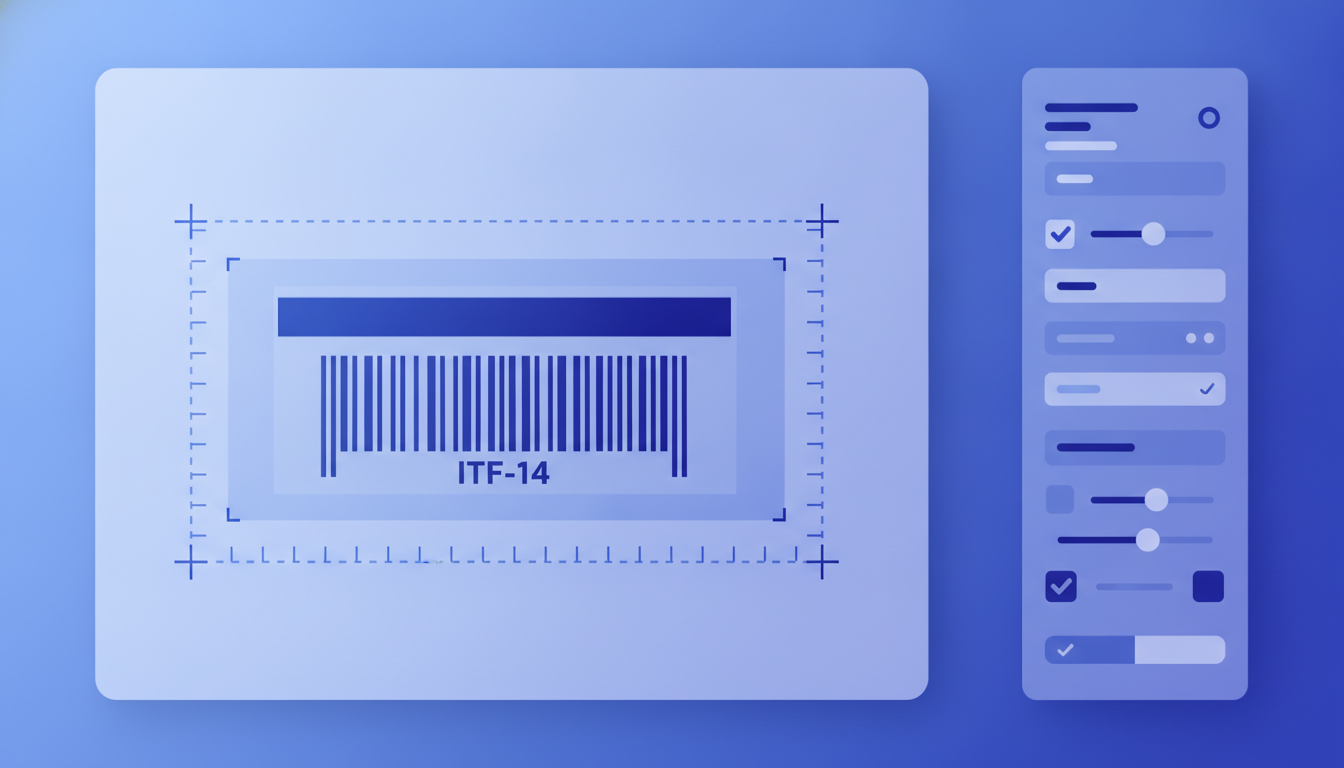
An ITF-14 barcode (Interleaved 2-of-5, 14 digits) is the GS1-standard linear barcode applied to corrugated shipping cartons and outer-case packaging to encode a GTIN-14 (Global Trade Item Number, 14 digits). Label Toolkit generates ITF-14 barcodes in the browser, no install required, and exports them as vector PDF or ZPL for Zebra thermal printers.
ITF-14 always encodes exactly 14 numeric digits, typically a GTIN-14 formed by prepending a packaging indicator digit (0-8) to a 13-digit base GTIN.
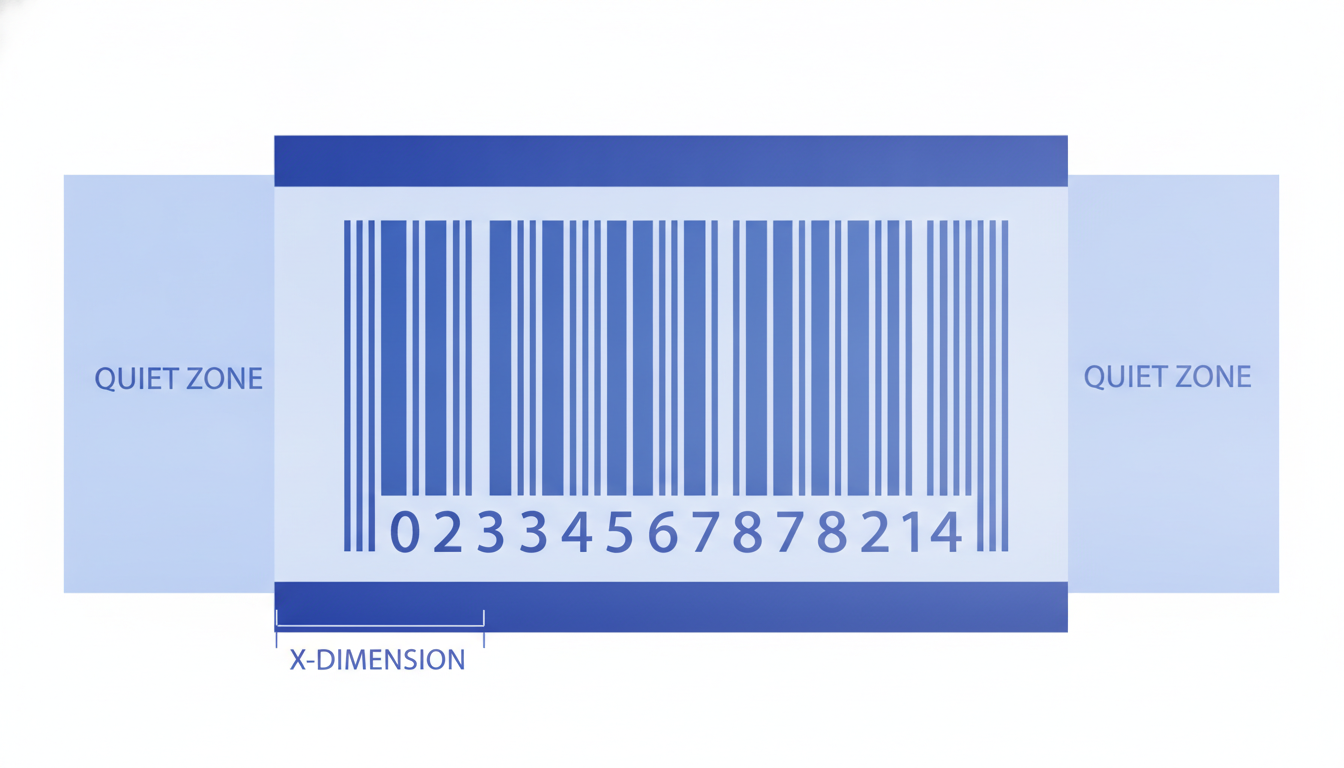
GS1 mandates a minimum X-dimension of 0.635 mm (25 mil) and a minimum quiet zone of 10X on each side for corrugated surfaces.
A bearer bar (a rectangular frame or top-and-bottom bars) is required by GS1 on corrugated substrates to protect scan reliability.
Label Toolkit supports ITF-14 alongside GS1-128 and UPC, so you can design the full retail supply-chain label set in one free tool.
What Is ITF-14 and Why Does It Exist?
ITF stands for Interleaved 2-of-5. The symbology encodes pairs of digits simultaneously: one digit in the bars, one in the spaces between them. That interleaving produces a very compact linear barcode, which matters on corrugated cardboard where print gain (ink spreading into the fibres) is significant and a finer barcode risks bar-to-space blurring.
The standard was formalised by GS1 specifically for outer-case and distribution-unit marking. While a Code 128 or GS1-128 barcode carries full Application Identifier (AI) data on inner cases and pallets, ITF-14 is deliberately simple: 14 digits, no AIs, one job. That simplicity makes it ideal for high-speed conveyor scanners in warehouses and distribution centres, where wide, high-contrast bars are scanned from angles and distances that would defeat a smaller symbology.
A GTIN-14 is a 14-digit number built by left-padding a GTIN-13 with a single packaging indicator digit (also called a logistic variant digit) from 1 to 8. The digit 0 is reserved, and 9 is used for variable-weight trade items in some markets.
Example: a product with GTIN-13 5901234123457 packed in an outer case of 12 units would use packaging indicator 1, yielding GTIN-14 15901234123457. The last digit in any GTIN is always a Mod-10 check digit, calculated using the GS1 standard algorithm. If you change any upstream digit, the check digit must be recalculated.
Position
Example digits
Meaning
1
1
Packaging indicator (1-8)
2-13
590123412345
GS1 Company Prefix + item reference
14
7
Mod-10 check digit
GS1 publishes the definitive check-digit calculation and GTIN structure rules in the GS1 General Specifications.
GS1 Physical Specifications for ITF-14
X-dimension (bar width)
The X-dimension is the width of the narrowest bar or space, the fundamental unit from which all other dimensions are derived. GS1 specifies a target X of 1.016 mm (40 mil) for corrugated cartons, with an acceptable range from 0.635 mm (25 mil) to 1.270 mm (50 mil). Going below 25 mil on a rough corrugated surface significantly increases the risk of unreadable barcodes due to ink bleed.
Bar height
The minimum symbol height (excluding bearer bars) is 32 mm at the 1.016 mm X-dimension target. As a general rule, height must be at least the greater of 25 mm or 15% of the symbol length. Taller is better: height adds scan redundancy because a scanner beam that dips slightly still hits the bars.
Quiet zones
Each side of an ITF-14 symbol requires a quiet zone of at least 10X. At the 1.016 mm target, that is 10.16 mm per side. These zones must be free of any printing, including borders, text, or graphics. Violating the quiet zone is one of the most common reasons ITF-14 barcodes fail warehouse scanning. For a deeper explanation of why quiet zones matter, see the guide on barcode quiet zones and margins.
Bearer bars
Bearer bars are thick horizontal lines running across the full width of the symbol (including the quiet zones), placed at the top and bottom of the bars. Their purpose is to prevent a scanner from partially reading the symbol if the beam clips the edge of a warped or damaged carton. GS1 requires bearer bars on corrugated substrates. The bearer bar width (height of the bar itself) should be at least 4.8X, so at 1.016 mm X that is roughly 4.9 mm thick.
Some implementations use a full rectangular frame rather than top-and-bottom bars only. Both are GS1-compliant as long as the frame does not encroach on the quiet zone.
Human-readable text
The 14-digit number is printed below (or occasionally above) the bars in a sans-serif font, typically OCR-B. GS1 recommends grouping as follows: a space or thin gap after the first digit, then groups matching the GTIN structure. Many implementations simply print all 14 digits in a single row. The text should not sit inside the quiet zone vertically.
ITF-14 vs GS1-128: Which Goes on Which Label?
Attribute
ITF-14
GS1-128
Data capacity
14 digits only
Variable-length alphanumeric with AIs
Typical substrate
Corrugated outer carton
Inner carton, pallet, shipping label
Information carried
GTIN-14 (item identity + pack level)
GTIN + lot, expiry, serial, quantity, etc.
Minimum X-dimension (GS1)
0.635 mm (corrugated)
0.250 mm (general)
Bearer bars required
Yes (corrugated)
No
Common use case
Retail replenishment, DC receiving
EDI shipment labels, SSCC pallet labels
In practice, a full retail supply-chain label may include both: a GS1-128 zone encoding the SSCC (Serial Shipping Container Code) and logistic data in Application Identifiers, and an ITF-14 zone for the simple carton-level GTIN scan at the dock door. Many large retailers require both on the same outer-case label, so understanding both symbologies matters. The broader barcode comparison guide covers all major symbologies side by side.
Printing ITF-14: Resolution and Dot Size
Thermal printers measure resolution in DPI (dots per inch). At 203 DPI, one dot is approximately 0.125 mm wide. To hit the GS1 target X-dimension of 1.016 mm you need roughly 8 dots per bar (8 x 0.125 mm = 1.000 mm, close enough). At 300 DPI (one dot = 0.0847 mm), 12 dots gives 1.016 mm exactly.
The ZPL parameter that controls bar width in most Zebra barcode commands is the module width (sometimes called narrow bar width), expressed in dots. For a 203 DPI Zebra printer printing ITF-14 at 1.016 mm X, set the module width to 8 dots. For 300 DPI, use 12 dots.
Print density (sometimes quoted in dpmm, dots per mm) is the metric-system equivalent: 203 DPI is approximately 8 dpmm, and 300 DPI is approximately 12 dpmm. Some Zebra command documentation uses dpmm rather than DPI, so be aware of both notations.
Generating an ITF-14 Barcode in ZPL
Zebra ZPL uses the ^BI command for the ITF (Interleaved 2-of-5) symbology. Below is a minimal label that prints a compliant ITF-14 at 203 DPI with bearer bars enabled.
N (orientation): N = normal, R = 90 degrees, I = inverted, B = 270 degrees.
100 (bar height in dots): at 203 DPI, 100 dots = approximately 12.5 mm. Increase to 256 or more for GS1-compliant carton labels (32 mm minimum = roughly 258 dots at 203 DPI).
Y (print interpretation line): Y prints the human-readable digits below the bars.
2 (interpretation line above): 2 means print below (1 means above).
8 (narrow bar width in dots): 8 dots at 203 DPI = 1.000 mm X-dimension, within GS1 tolerances.
To add bearer bars, include a surrounding ^GB (Graphic Box) command that exactly spans the symbol width plus quiet zones, with a line thickness matching the 4.8X minimum. A practical approach in Label Toolkit is to use the visual bearer-bar toggle in the barcode element properties panel, which calculates the dimensions automatically.
A fuller, production-ready label with a top-and-bottom bearer bar at 203 DPI looks like this:
Here ^GB640,1,20 draws a box 640 dots wide, 1 dot tall, with a 20-dot line thickness (approximately 2.5 mm at 203 DPI, which you would scale up to meet 4.8X at your chosen X). Adjust ^FO x-positions so the bearer bars extend over the quiet zones on both sides.
Common Mistakes That Cause ITF-14 Scan Failures
Quiet zone too small: printing text or borders within 10X of the first or last bar. Always leave at least 10.2 mm of clear space at the 1.016 mm X target.
X-dimension below 0.635 mm: this can happen when scaling a label template down to fit a smaller box without adjusting the barcode module width.
Incorrect check digit: recalculate the Mod-10 check digit any time the packaging indicator or GTIN changes. A wrong check digit will cause GS1 verifiers to reject the scan.
No bearer bars: on rough corrugated surfaces, even a slightly misaligned scan beam will false-read or not read at all without bearer bars.
Low print contrast: ITF-14 on natural kraft board using a worn direct-thermal printhead often fails the minimum print contrast specification (MCS) of 75% reflectance difference. Use thermal transfer with black resin ribbon on white label stock for high-contrast output. The guide on why barcodes fail to scan covers print contrast in detail.
How to Create an ITF-14 Label in Label Toolkit
Open Label Toolkit's free browser designer and create a new label. For a standard carton label, start with a 100 mm x 150 mm canvas (landscape or portrait depending on your carton face).
Click Add Element and select Barcode. From the symbology dropdown, choose ITF-14.
Enter your 14-digit GTIN-14 in the data field. The tool validates the check digit in real time and highlights an error if the digit is wrong.
In the barcode properties panel, set the X-dimension to at least 1.0 mm (or select a preset for GS1 corrugated). Enable Bearer Bars and set bar height to at least 32 mm.
Ensure the element has at least 10 mm of blank space on each side. Use the ruler guides to verify. The quiet zone guide is shown as a light-grey overlay when the element is selected.
Add any additional fields (carton count, lot number in plain text, a GS1-128 if your retailer requires it) using text and barcode elements.
Export as vector PDF for print-shop or desktop printing, or export as ZPL for direct Zebra thermal printing.
Retailer Compliance Requirements
Most major retailers in the US, UK, and EU have their own supplier routing guides that reference GS1 specifications but sometimes add stricter requirements. Common additions include:
Minimum barcode verification grade of ISO/IEC 15416 grade C (or GS1 grade 1.5) for all incoming carton barcodes.
Placement on two adjacent faces of the carton (left side panel and front panel) so dock scanners can read from either approach angle.
Specific label size minimums (often 100 mm x 150 mm or 4 x 6 inches) for combined carton labels that include both ITF-14 and GS1-128 zones.
White background label stock even on kraft cartons, to ensure minimum contrast is met. The GS1 General Specifications (section 5.5) define the print quality grades and measurement methods in full.
Check your specific retailer's routing guide before finalising label dimensions, as non-compliance can result in chargebacks.
ITF-14 and Data Merge for Bulk Carton Labelling
When a single SKU ships in multiple pack configurations (single unit, inner pack of 6, outer case of 24), each configuration needs a distinct GTIN-14 with a different packaging indicator digit. Label Toolkit's data-merge feature lets you load a spreadsheet with one row per carton configuration, each containing the correct 14-digit GTIN-14, and batch-generate all label variants in a single run. The workflow is the same as printing variable-data shipping labels from Excel or Google Sheets, just applied to carton-level barcodes.
Frequently Asked Questions
What is the difference between ITF-14 and Interleaved 2-of-5?
Interleaved 2-of-5 (I 2/5 or ITF) is the underlying barcode symbology that can encode any even number of digits. ITF-14 is a specific application of that symbology defined by GS1 to always encode exactly 14 digits representing a GTIN-14. The two terms are often used interchangeably in a shipping context, but technically ITF-14 is the GS1-constrained subset.
Can I print an ITF-14 barcode on a standard office laser printer?
Yes, but the result may not be GS1-compliant. Laser printers at 600 DPI can achieve a clean enough print on smooth white label stock, but print registration varies and bearer bars may not align precisely. For carton labels, a thermal transfer printer at 203 DPI or higher is strongly preferred for consistency and durability in warehouse environments.
How do I calculate the check digit for a GTIN-14?
Multiply each of the first 13 digits alternately by 3 and 1 (starting with 3 for position 1), sum the products, then subtract the sum from the next multiple of 10. The result is the check digit. GS1 provides a free online check-digit calculator at gs1.org if you prefer not to do it by hand.
Does every outer carton need an ITF-14 barcode?
GS1 recommends ITF-14 on every trade item that moves through the supply chain as a case or pallet unit, but the legal or contractual obligation depends on your trading partner's requirements. Major retailers (Walmart, Target, Tesco, etc.) typically mandate it in their supplier compliance guides and may charge back non-compliant shipments.
What is the maximum data capacity of an ITF-14?
ITF-14 encodes exactly 14 numeric digits, no more and no less. If you need to encode alphanumeric data, lot numbers, or expiry dates on the same label, you need a separate GS1-128 barcode element alongside the ITF-14.
Ready to build a compliant ITF-14 carton label without installing any software? Create a free Label Toolkit account and have a print-ready, GS1-compliant label exported in minutes.