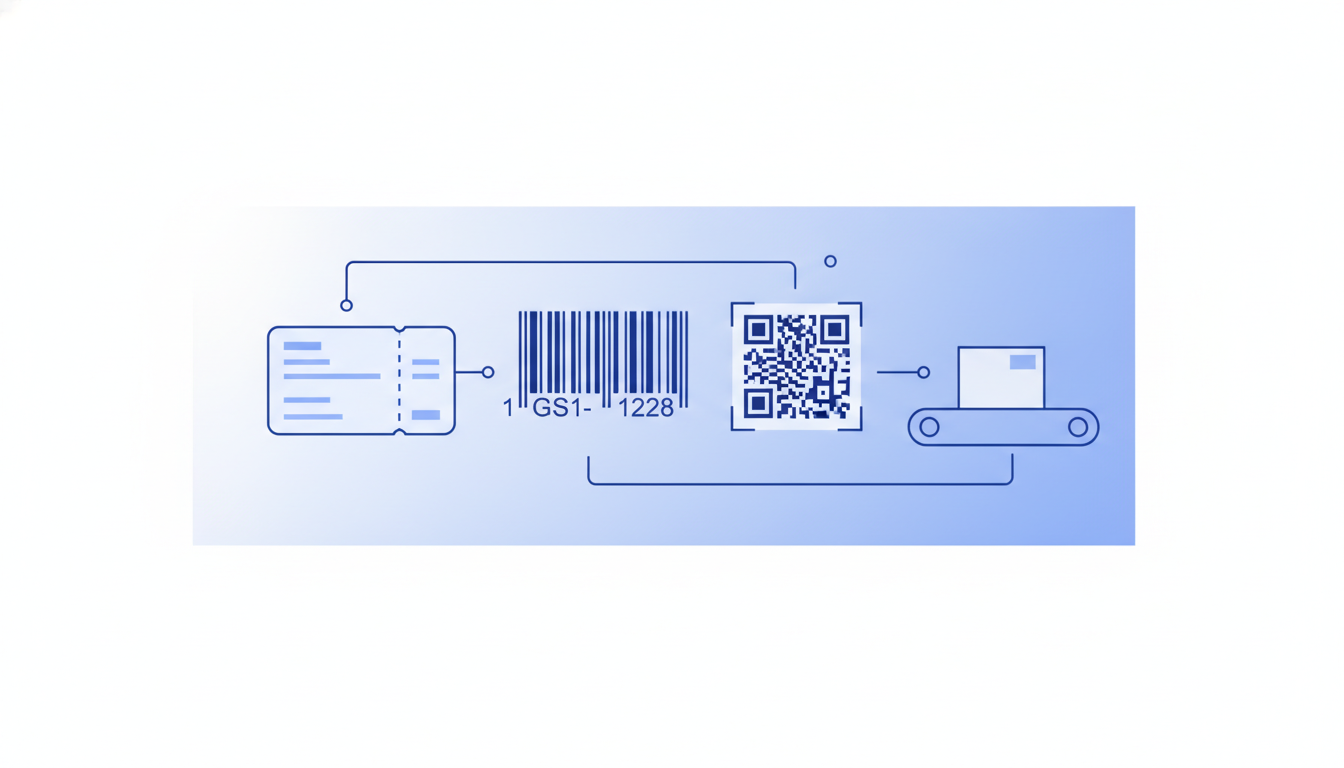
A GS1-128 barcode is a linear (1D) barcode that encodes structured supply chain data, such as GTINs, lot numbers, expiry dates, and serial numbers, inside a Code 128 symbol using standardised prefixes called Application Identifiers (AIs). Label Toolkit lets you design GS1-128 labels entirely in the browser, free, with no software to install.
GS1-128 is built on the Code 128 symbology but adds a mandatory FNC1 character after the start code, making it machine-readable across any GS1-compliant scanner in a retail or logistics network.
Every data field inside the barcode is prefixed by a 2 to 4 digit Application Identifier that tells the scanner what the following digits mean (GTIN, batch, expiry, quantity, and so on).
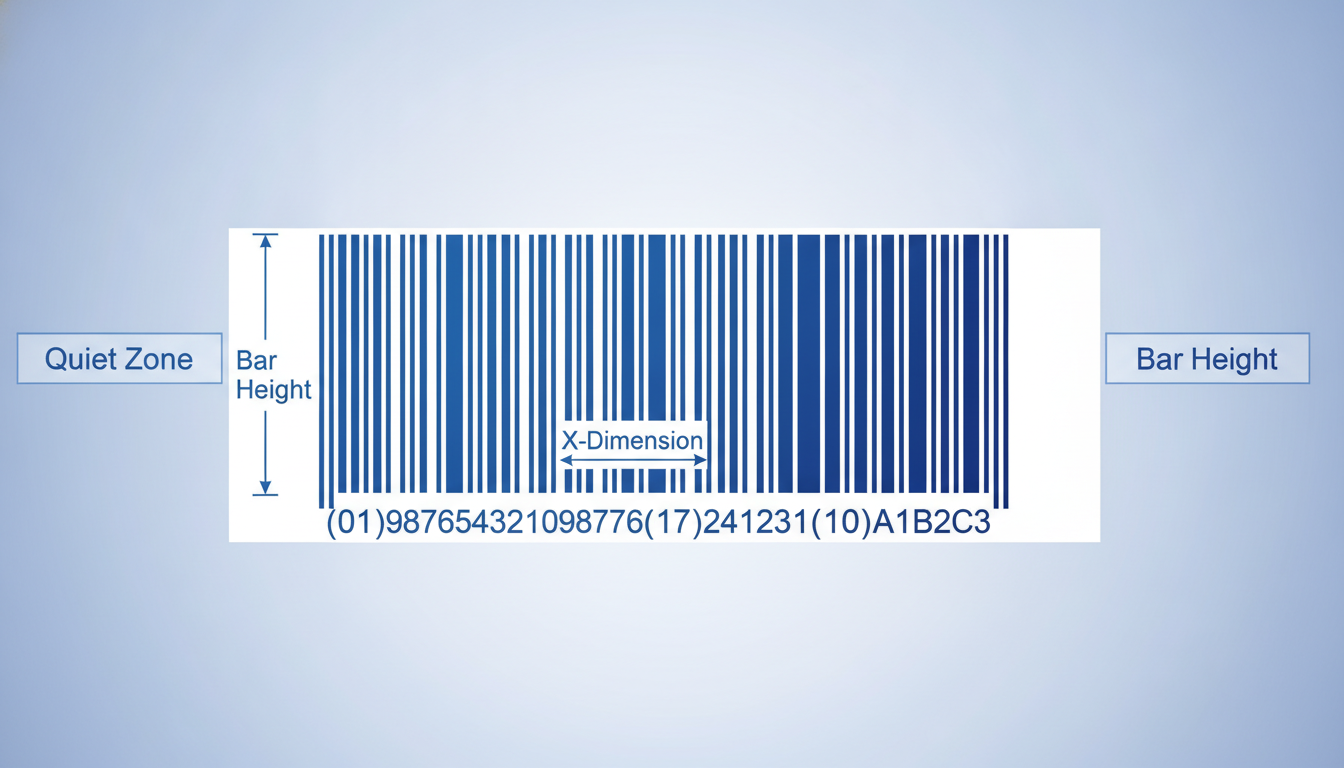
Minimum X-dimension is 0.495 mm (roughly 0.0195 in) and quiet zones must be at least 10X on each side; most compliant labels print at 0.495 mm to 1.016 mm X-dimension.
Label Toolkit exports print-ready vector PDF and Zebra ZPL, so the same design works for both office laser printers and warehouse thermal printers without redrawing anything.
What is a GS1-128 barcode?
GS1-128 (formerly called UCC/EAN-128) is a variant of Code 128 that has been adopted by GS1, the non-profit standards body that administers GTINs, GLNs, and other global identifiers. The technical difference between plain Code 128 and GS1-128 is a single character: the FNC1 (Function Code 1) character inserted immediately after the start code. That character signals to any compliant scanner that the data payload conforms to the GS1 system and should be parsed using Application Identifiers.
Because it is built on Code 128 (specifically Code 128 subset C for numeric pairs, or subsets A/B for alphanumeric data), GS1-128 inherits the full character density and error-detection capability of Code 128. You can read more about the base symbology in our Code 128 barcode format and character set guide.
Where is GS1-128 used?
GS1-128 appears on virtually every carton, pallet, and inner pack that moves through a modern retail or logistics network. Common use cases include:
Shipping and logistics labels (SSCC pallet labels)
Carton labels for retail distribution centres
Pharmaceutical unit-of-use and case labels (serialisation, expiry, lot)
Fresh food and produce labels (weight, best-before, batch)
Medical device labelling (UDI carrier for Class I devices in some markets)
Automotive parts and aerospace traceability labels
Retailers such as Walmart, Target, and most European grocery chains mandate GS1-128 on all inbound cartons. The GS1 General Specifications (published by GS1 International) define exactly which AIs are required for each trading partner scenario.
How Application Identifiers (AIs) work
An Application Identifier is a 2 to 4 digit numeric prefix that appears in parentheses in the human-readable text below the barcode (the parentheses are only for readability; they are not encoded). Each AI tells the scanner the meaning and, for fixed-length AIs, the exact length of the data that follows. Variable-length fields are terminated by an FNC1 character acting as a separator when followed by another AI.
Most commonly used GS1-128 Application Identifiers
AI
Meaning
Data length
Fixed or variable
(00)
Serial Shipping Container Code (SSCC)
18 digits
Fixed
(01)
GTIN (Global Trade Item Number)
14 digits
Fixed
(02)
GTIN of contained trade items
14 digits
Fixed
(10)
Batch or lot number
Up to 20 chars
Variable
(11)
Production date (YYMMDD)
6 digits
Fixed
(13)
Packaging date (YYMMDD)
6 digits
Fixed
(15)
Best before date (YYMMDD)
6 digits
Fixed
(17)
Expiry date (YYMMDD)
6 digits
Fixed
(21)
Serial number
Up to 20 chars
Variable
(30)
Variable count of items
Up to 8 digits
Variable
(310n)
Net weight, kg (n = decimal position)
6 digits
Fixed
(37)
Count of trade items or pieces
Up to 8 digits
Variable
(420)
Ship-to postal code (single country)
Up to 12 chars
Variable
The full list of over 100 AIs is maintained in the GS1 General Specifications. For most carton labels in North America and Europe, AIs (00), (01), (10), (17), and (21) cover the vast majority of use cases.
How the encoded string is structured
Consider a carton label that needs to carry a GTIN and a lot number. The encoded string inside the barcode looks like this (parentheses shown for illustration only):
(01)05012345678900(10)LOT4821B
In raw form, the barcode encodes: FNC1 01 05012345678900 FNC1 10 LOT4821B. The first FNC1 is the GS1 flag after the start code. The second FNC1 acts as a separator before AI (10) because (10) is a variable-length field. Fixed-length fields like (01) do not need a separator because the scanner knows exactly how many characters to read.
GS1-128 barcode dimensions and print specifications
X-dimension (module width)
The X-dimension is the width of the narrowest bar or space in the symbol. GS1-128 supports an X-dimension range of 0.495 mm to 1.016 mm (roughly 0.0195 in to 0.040 in) for most supply chain applications. The most common trade partner requirement is 0.495 mm at 200% magnification, which corresponds to 0.99 mm on the printed label. Always confirm the target trading partner spec, because some retailers specify a minimum of 0.625 mm.
Symbol height
Minimum symbol height is 32 mm (1.26 in), or 15% of the symbol length, whichever is greater. In practice, most carton labels use 32 mm to 38 mm height. Taller bars are easier for handheld scanners to read at an angle.
Quiet zones
GS1-128 requires a quiet zone of at least 10X on both the left and right sides of the symbol. At 0.495 mm X-dimension that is a minimum quiet zone of 4.95 mm (about 0.195 in) on each side. Our quiet zone and barcode margin guide explains why violating this margin is the single most common reason a barcode fails a retail compliance scan.
Human-readable interpretation (HRI)
GS1-128 labels must include a human-readable text line below the bars. The HRI shows AI values in parentheses followed by the data (e.g., (01)05012345678900(10)LOT4821B). Font size should be at least 7 pt but never so large that it crowds the quiet zone. The HRI is not optional; most trading partner compliance audits check for it explicitly.
Recommended print resolution
At 0.495 mm X-dimension, you need at least 203 DPI (8 dots per mm) to resolve individual modules cleanly, but 300 DPI (12 dpmm) is strongly preferred for the narrowest widths. At 203 DPI each module is roughly 4 dots wide, which is workable. At 300 DPI each module is 6 dots wide, giving sharper bar edges and better first-scan rates. See our 203 DPI vs 300 DPI label printer comparison for detailed guidance.
GS1-128 label layout requirements (carton and pallet labels)
Most trading partner specifications for carton labels follow the GS1 Logistic Label guideline. A standard GS1 logistic label has three horizontal sections:
Supplier section (top): free-form area for the supplier's own data (PO number, ship date, description, internal codes).
Customer section (middle): trading partner-specific data such as store number, department, or distribution centre, often with an additional barcode.
GS1 section (bottom): one or more GS1-128 barcodes encoding mandatory AIs (typically SSCC, GTIN, quantity, batch, and expiry), printed across the full label width.
Standard carton label sizes are 100 x 150 mm (4 x 6 in) or 100 x 100 mm (4 x 4 in). The SSCC barcode in the GS1 section typically spans the full 100 mm width. Pallet labels follow the same three-section format but are usually printed at 100 x 150 mm and applied to all four sides of the pallet.
How to design a GS1-128 label in Label Toolkit
Open the Label Toolkit designer at Label Toolkit designer and set your label size (for example 100 mm x 150 mm).
Add a barcode element and choose GS1-128 as the symbology from the barcode type picker.
Enter your encoded string in the data field, using parenthesised AIs: for example (01)05012345678900(10)LOT4821B(17)271231. The designer handles FNC1 insertion and separator placement automatically.
Set the X-dimension. A value of 0.495 mm to 0.625 mm is appropriate for a 100 mm wide label. The designer shows you the resulting symbol width so you can verify it fits within the label with adequate quiet zones.
Add text fields for the human-readable interpretation. Use a sans-serif font at 7 pt to 9 pt and position it directly below the barcode, inside the quiet zone boundary.
Fill the supplier and customer sections with text fields, logos, or data-merge fields pulled from your spreadsheet.
Export as vector PDF for laser or inkjet printing, or as ZPL for direct-to-Zebra thermal output.
ZPL for GS1-128 on a Zebra printer
If you are printing to a Zebra thermal printer, Label Toolkit generates the ZPL automatically. For reference, here is what a GS1-128 barcode command looks like in raw ZPL (the ^BC command with a preceding ^BY for module width):
Breaking this down: ^FO50,50 sets the field origin at x=50, y=50 dots. ^BY3 sets the module width to 3 dots (at 203 DPI that equals 0.375 mm per module; use ^BY4 for 0.5 mm). ^BCN,80,Y,N,N,A prints a Code 128 barcode, normal orientation, 80 dots tall, with human-readable text below, no check digit printed separately, no UCC/EAN mode, subset Auto. The >8 prefix in ^FD is the Zebra escape sequence for the FNC1 character, which is what makes it a valid GS1-128 symbol. The A parameter at the end enables the GS1 Application Identifier parsing mode on newer Zebra firmware. Full ^BC syntax is documented in our ^BC ZPL command reference for Code 128.
GS1-128 vs related barcode types
Symbology
Carries AIs?
Typical use
Max data capacity
Dimension
GS1-128
Yes (required)
Cartons, pallets, pharma cases
~48 chars per symbol
1D linear
ITF-14
No (GTIN-14 only)
Corrugated outers, direct print
14 digits only
1D linear
GS1 DataMatrix
Yes
Pharmaceutical unit-of-use, small items
Up to 2,335 chars
2D matrix
GS1 QR Code
Yes
Consumer engagement, 2D sunrise
Up to ~7,089 digits
2D matrix
Plain Code 128
No
Internal logistics, asset tags
~48 chars per symbol
1D linear
ITF-14 encodes only a 14-digit GTIN and is preferred for direct printing on corrugated board because its wide bars tolerate the rough surface texture. GS1-128 carries richer data but must be printed on a label applied to the carton rather than directly on corrugated board when the X-dimension is at the minimum. Our broader barcode types and symbology selection guide covers how to choose between these options for your specific workflow.
Common GS1-128 compliance failures and how to avoid them
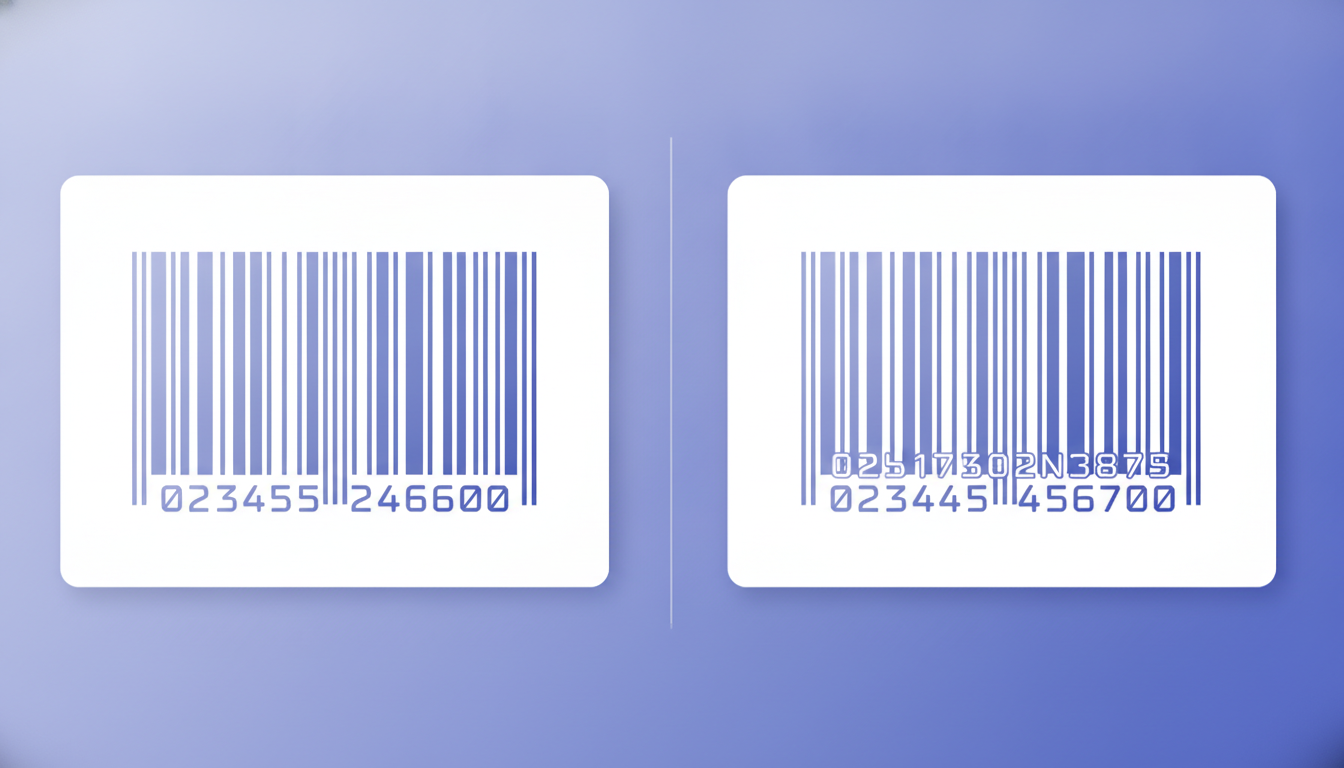
Missing FNC1 flag: If your barcode software generates a standard Code 128 without the FNC1 start character, scanners at the retailer's DC will either reject it or misparse the data. Always use a GS1-128 mode, not generic Code 128, when encoding AI data.
Violated quiet zone: Printing text, logos, or other barcodes within the 10X quiet zone is one of the most frequent audit failures. Leave at least 5 mm clear on each side as a practical minimum.
Wrong GTIN check digit: The 14th digit of a GTIN is a modulo-10 check digit. An incorrect check digit causes an immediate scan error. Label Toolkit calculates and validates this automatically.
Variable-length AI without FNC1 separator: If you chain two AIs and the first is variable-length, a missing separator causes the scanner to misread the second AI as part of the first field's data. Always terminate variable-length AIs before the next AI.
Symbol too narrow for the printer's resolution: At 203 DPI, an X-dimension below 0.375 mm produces bars that bleed together under normal thermal print pressure. Use 0.495 mm as your practical floor at 203 DPI.
Frequently asked questions
What is the difference between GS1-128 and Code 128?
Code 128 is a general-purpose linear barcode symbology that can encode any ASCII character. GS1-128 is a specific application of Code 128 that adds a mandatory FNC1 character after the start code, signalling that the data uses GS1 Application Identifiers. Any GS1-128 scanner can also read plain Code 128, but a plain Code 128 symbol is not a valid GS1-128 barcode.
How many Application Identifiers can one GS1-128 barcode hold?
Technically a single GS1-128 symbol can hold multiple AIs up to a maximum payload of about 48 characters, including the AI digits themselves. In practice, most carton labels split data across two or three separate GS1-128 barcodes stacked vertically, because longer symbols become too wide to fit on a standard label without violating minimum X-dimension rules.
Do I need a GS1 Company Prefix to use GS1-128?
If you are encoding a GTIN (AI 01) or SSCC (AI 00), yes, you need a licensed GS1 Company Prefix, which you obtain from your local GS1 member organisation. Some AIs, such as lot number (10) or expiry date (17), do not by themselves require a company prefix, but in practice they accompany a GTIN, so a prefix is still needed for the full label.
Can I print a GS1-128 barcode on a standard office printer?
Yes, as long as you export a vector PDF and your printer's resolution is high enough. A 600 DPI laser printer handles GS1-128 at standard X-dimensions without quality issues. For high-volume warehouse output, a 300 DPI direct thermal or thermal transfer Zebra printer is the industry standard choice.
What label size should I use for a GS1-128 carton label?
The GS1 Logistic Label guideline recommends 100 mm x 150 mm (4 x 6 in) as the standard size for carton labels. Smaller cartons can use 100 mm x 100 mm. The GS1 section at the bottom should be at least 32 mm tall to accommodate the minimum bar height plus the HRI text.
Ready to design your first compliant GS1-128 label? Create a free Label Toolkit account and build it in the browser in minutes, no software to install.