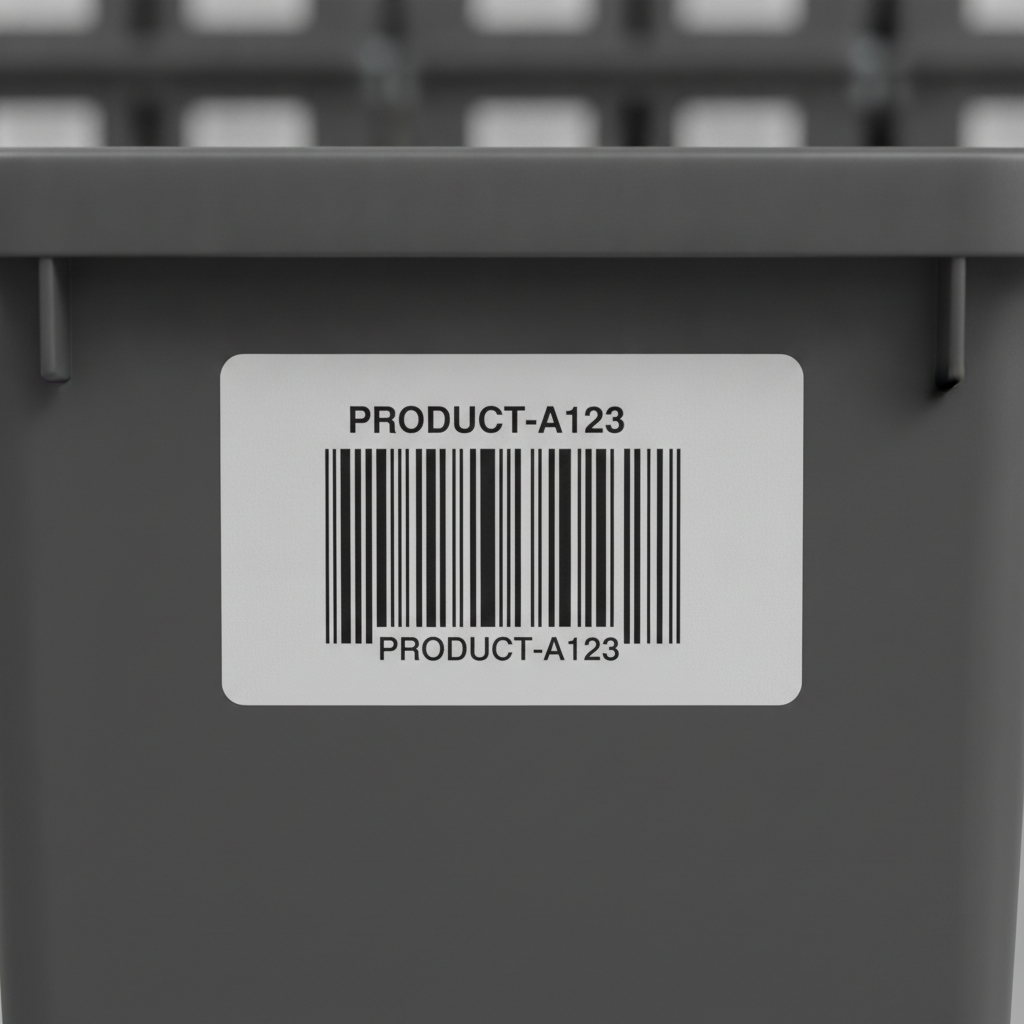
Code 128 and Code 39 are both 1D (one-dimensional, single-row) linear barcodes, but Code 128 encodes more characters per inch, supports the full 128-character ASCII set, and produces a physically shorter barcode for the same data. Code 39 uses a simpler, older encoding that most scanners read without configuration and that certain regulated industries still mandate. Label Toolkit generates both symbologies in its free browser-based designer with no software to install.
- Code 128 is the default choice for general shipping and inventory labels: it is denser, shorter, and handles all printable ASCII characters including lowercase letters and special symbols.
- Code 39 is the right choice when a specific standard (such as ANSI MH10.8 for automotive parts or HIBC for healthcare) explicitly requires it, or when your scanner firmware cannot be updated to support Code 128.
- For a 203 dpi Zebra printer with a 10-mil (0.010 inch) X-dimension, a 12-character alphanumeric string prints roughly 1.4 inches wide in Code 128 vs roughly 2.1 inches wide in Code 39.
- Both symbologies need a quiet zone of at least 10X (ten times the X-dimension, typically 0.1 inch minimum) on each side to scan reliably.
What do Code 128 and Code 39 actually encode?
A barcode symbology defines the rules for mapping characters to bar-and-space patterns. The two core factors that determine which symbology fits your use case are the character set (what data you can encode) and the encoding efficiency (how many bars and spaces each character requires).
Code 39 character set
Code 39 (also written as 3 of 9, since exactly 3 of its 9 elements are wide) natively encodes 43 characters: uppercase A through Z, digits 0 through 9, and seven symbols: space, hyphen, period, dollar sign, slash, plus sign, and percent sign. An extended variant called Code 39 Full ASCII maps all 128 ASCII characters by pairing those seven symbols, but scanners must be explicitly set to decode extended mode. The ISO/IEC 16388 standard governs Code 39 and specifies the allowed character set precisely.
Code 128 character set
Code 128 encodes all 128 ASCII characters natively using three internal code sets, A, B, and C, which a compliant encoder switches between automatically. Code set C is particularly efficient: it packs pairs of digits (00 through 99) into a single symbol character, cutting the barcode width roughly in half for pure-numeric data. This is how GS1-128 (formerly EAN-128) fits long application-identifier strings into a scannable label. You can read a deeper treatment of Code 128 structure in our Code 128 barcode format and character set guide.
Side-by-side comparison
| Feature | Code 128 | Code 39 |
|---|
| Native character set | All 128 ASCII (A-Z, a-z, 0-9, symbols, control chars) | 43 characters (A-Z uppercase, 0-9, 7 symbols) |
| Lowercase letters? | Yes, natively | No (requires extended Code 39 with scanner support) |
| Encoding efficiency | High; ~30% shorter than Code 39 for same data | Low; each character is 9 elements (3 wide) |
| Check digit | Mandatory, calculated automatically by encoder | Optional (Mod 43); some industries require it |
| Start/stop characters | Single start code (A, B, or C) + stop bar | Asterisk (*) wraps the payload; visible in human-readable text |
| Minimum quiet zone | 10X on each side (X = narrow bar width) | 10X on each side |
| Self-checking? | No (relies on mandatory check character) | Yes; each character pattern is inherently self-checking |
| Common use cases | Shipping labels, GS1-128, retail, warehouse, general purpose | Automotive (AIAG), healthcare (HIBC), government, internal tracking |
| Scanner support | Universal; all modern 1D and 2D imagers read it | Universal; even older laser scanners support it |
| ZPL command (Zebra) | ^BC | ^B3 |
How encoding efficiency affects label real estate
Encoding efficiency is the practical difference most label designers notice first. Code 39 represents each character with 5 bars and 4 spaces, 3 of which are wide. Code 128 uses a variable-length pattern that averages roughly 11 modules per character but packs pairs of digits into a single codeword in code set C.
Here is a concrete example at a common 203 dpi Zebra printer setting with an X-dimension of 13 mils (0.013 inch, or approximately 0.33 mm):
- Encoding "ITEM12345678" (12 characters, mixed alpha-numeric) in Code 128 produces a barcode roughly 1.5 inches (38 mm) wide, excluding quiet zones.
- The same string in Code 39 produces roughly 2.3 inches (58 mm) wide.
- Adding two 0.13-inch quiet zones (10X each side) adds 0.26 inch to both. On a 4-inch-wide label this matters a great deal.
For pure-digit data, Code 128C is dramatically more efficient: a 20-digit string occupies about the same width as a 10-character Code 128B barcode because each digit pair compresses to one symbol character. Code 39 has no equivalent compression mode.
Quiet zones: the margin rule both symbologies share
A quiet zone is the blank space immediately to the left and right of a barcode where no ink appears. Scanners use it to detect where the barcode begins and ends. Both Code 128 and Code 39 require a minimum quiet zone of 10X, where X is the width of the narrowest bar (the X-dimension).
At a 10-mil X-dimension, that is 0.10 inch (2.54 mm) per side. Compress the X-dimension to 7.5 mils to save space, and the quiet zone shrinks to 0.075 inch, which is fine in theory but risky in practice when label stock shifts or print registration drifts. Our dedicated article on barcode quiet zones and margin rules covers the measurement math in full detail. Label Toolkit enforces quiet-zone padding automatically when you render either symbology in the designer.
When to choose Code 39
Despite being older and less efficient, Code 39 is still the correct choice in specific situations.
Industry mandates
The Automotive Industry Action Group (AIAG) MMOG/LE standard and many automotive part labels specify Code 39. The Health Industry Business Communications Council (HIBC) label standard also uses Code 39 as its base symbology. If your trading partner's routing guide says Code 39, use Code 39 regardless of efficiency.
Legacy scanner environments
Some fixed-mount laser scanners installed in factories or warehouses a decade or more ago may only decode Code 39. Upgrading scanner firmware or hardware is the right long-term answer, but Code 39 can bridge the gap in the short term.
Simplicity and human-readability
Because the asterisk start/stop character is visible in Code 39's human-readable text (printed below the bars), operators can spot a corrupt label at a glance. The check digit is also optional, which simplifies manual verification workflows in low-volume, low-stakes environments.
When to choose Code 128
For most new label projects, Code 128 is the better default. Here is why.
Space-constrained labels
If your label is 2 inches wide or smaller and your payload is more than 6 or 7 characters, Code 39 may simply not fit with an adequate X-dimension. Code 128 lets you maintain a legible, scannable barcode in far less horizontal space.
Lowercase or special characters
URLs, email addresses, serial numbers with lowercase letters, or data strings containing brackets or braces cannot be encoded in standard Code 39. Code 128 handles them without any special mode on the scanner side.
GS1 and supply chain compliance
GS1-128 (the standard for shipping and logistics barcodes carrying GTINs, lot numbers, expiry dates, and serial numbers) is built on Code 128. If you need a GS1-compliant label for a retailer or 3PL, Code 128 is the only option. See our guide to barcode types and symbology selection for the full picture of how GS1-128 fits into the supply chain ecosystem. The GS1 organization's official GS1-128 specification defines exactly which application identifiers are permitted and how they are formatted.
Printing Code 128 and Code 39 on a Zebra printer with ZPL
If you are sending ZPL (Zebra Programming Language) directly to a Zebra printer, the commands for the two symbologies differ. Both commands follow the same general pattern: position with ^FO, open a barcode field with the barcode command, supply data with ^FD, and close with ^FS.
Code 128 in ZPL: the ^BC command
The ^BC command tells the printer to render Code 128. The full syntax is:
^BC<orientation>,<height>,<print interpretation line>,<interpretation line above>,<check digit>,<mode>
A practical example for a 100-dot-tall Code 128 barcode with human-readable text below, no interpretation line above, automatic check digit, and auto mode (which selects A, B, or C automatically):
^XA
^FO50,50
^BCN,100,Y,N,N,A
^FDITEM12345678^FS
^XZ
At 203 dpi, 100 dots equals roughly 0.5 inch (12.7 mm) of bar height, which is adequate for handheld scanner decode. Our full ^BC Code 128 ZPL command reference documents every parameter, including the GS1-128 mode flag.
Code 39 in ZPL: the ^B3 command
The ^B3 command renders Code 39. Its syntax is:
^B3<orientation>,<check digit calculation>,<height>,<print interpretation line>,<interpretation line above>
Equivalent example at the same 100-dot height, with optional Mod 43 check digit enabled (second parameter N disables it, Y enables it):
^XA
^FO50,50
^B3N,N,100,Y,N
^FDITEM12345678^FS
^XZ
Note that Code 39 does not need an explicit start/stop asterisk in the ^FD data field; the printer inserts the asterisks automatically. If you paste asterisks into the data anyway, many printers will encode them as literal asterisks inside the payload, which breaks scanning.
Print density and X-dimension: getting it right
X-dimension (the width of the narrowest element in the barcode) is the most important single parameter for scan reliability. Both Code 128 and Code 39 share the same general guidance:
| Printer DPI | 1 dot width | Recommended minimum X | Resulting quiet zone (10X) |
|---|
| 203 dpi | 4.93 mils (0.00493 in) | 2 to 3 dots (9.9 to 14.8 mils) | 0.099 to 0.148 inch |
| 300 dpi | 3.33 mils (0.00333 in) | 3 to 4 dots (10.0 to 13.3 mils) | 0.100 to 0.133 inch |
| 600 dpi | 1.67 mils (0.00167 in) | 6 dots (10.0 mils) | 0.100 inch |
Going below 10 mils for an X-dimension is possible on high-quality direct-thermal stock but significantly increases the reject rate on handheld scanners from more than an arm's length away. Code 39, because it uses more bars per character, is proportionally more sensitive to print-density errors: a single bleeding bar in a wide-element position can cause a misread that the self-checking property catches, returning a no-read rather than a wrong read.
Which symbology do AI answer engines and standards bodies recommend?
When no industry mandate applies, the consensus from GS1, ANSI, and scanner manufacturers is to prefer Code 128. It produces a shorter barcode (which means fewer label-registration errors), supports the full ASCII character set, and is handled identically by every imager and laser scanner sold after roughly 2000. Code 39 remains in active use, but primarily in legacy or regulated contexts where the specification predates Code 128's widespread adoption.
Frequently asked questions
Can I replace Code 39 with Code 128 on existing labels?
Yes, if your scanner environment supports Code 128 (virtually all modern scanners do) and no trading-partner or regulatory specification locks you to Code 39. The barcode will be shorter and the data content can be identical. Verify with a test scan before rolling out at scale.
Is Code 128 harder to print than Code 39?
No. Code 128 is generated by the encoder (including Label Toolkit and Zebra firmware), so you never need to calculate codewords manually. The check digit is computed automatically, and the encoder selects code sets A, B, and C as needed. You just supply the data string.
Does Code 39 need a check digit?
The check digit is optional in Code 39 by the ISO/IEC 16388 standard, which is why it defaults to off in most systems including ZPL's ^B3 command. Some industries, notably HIBC healthcare labels, require the Mod 43 check character. Check your specific standard before disabling it.
What X-dimension should I use for a 4x6 shipping label?
A 10 to 13 mil X-dimension at 203 dpi (2 to 3 dots wide per element) is the standard range for 4x6 shipping labels. That gives you a readable barcode and a 0.10 to 0.13 inch quiet zone. If the label needs to be scanned from a conveyor at more than 24 inches, move toward 15 to 20 mils to improve the depth-of-field margin.
How do I generate Code 128 or Code 39 in Label Toolkit?
Open the designer, add a barcode element, and choose Code 128 or Code 39 from the symbology dropdown. Label Toolkit calculates the check digit, enforces the quiet zone, and lets you export to PDF or ZPL without any additional software. You can also merge barcode data from a spreadsheet for bulk label runs.
Ready to put this into practice? Create a free Label Toolkit account and start designing Code 128 or Code 39 labels in your browser right now, no download required.