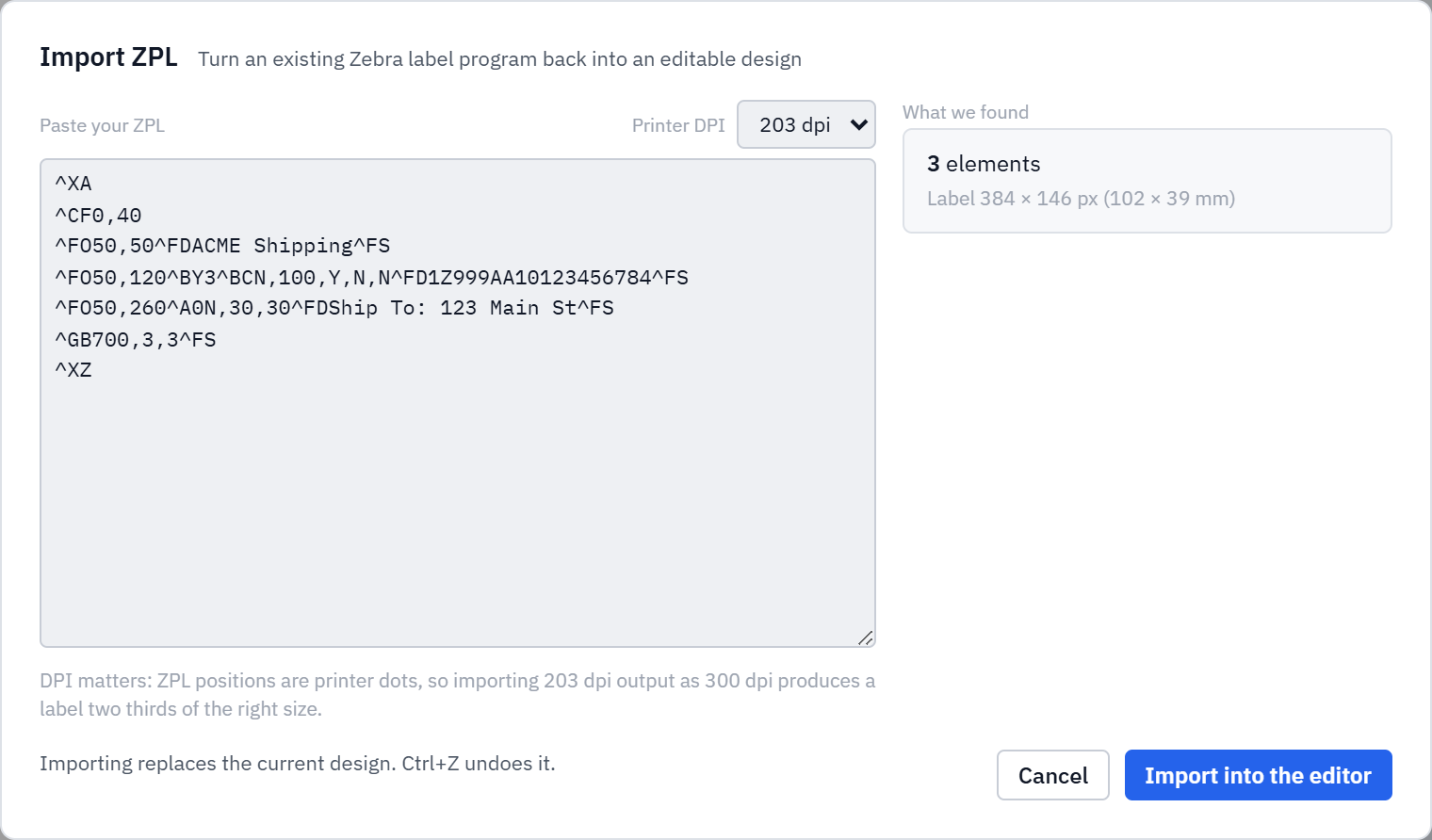
For a lot of businesses, a label exists in exactly one form: a block of ZPL that someone wrote years ago, living inside an ERP, a WMS, or a vendor spec sheet. Editing it means editing raw Zebra Programming Language by hand. Label Toolkit now lets you import ZPL: paste the program in and it is rebuilt as a fully editable design, with the text, shapes, barcodes and QR codes turned back into elements you can move and restyle.
Text, boxes, barcodes and QR codes are reconstructed as editable elements.
Pick the printer DPI so the imported label comes in at the right physical size.
Anything that cannot be recovered is reported, not silently dropped.
Paste ZPL, choose the DPI, and see what was found before you import.
Why DPI is the first thing to get right
ZPL positions everything in printer dots, not millimetres. A coordinate of ^FO400,300 means 400 dots across and 300 dots down, and how big that is depends entirely on the printer's resolution. The same program prints at one size on a 203 dpi printer and two thirds of that size on a 300 dpi printer. So the importer asks for the source DPI up front: tell it the label was written for 203 dpi and it converts the dots to the correct physical size. Guess wrong and the whole label comes in scaled.
What it can rebuild
The importer understands the command set Label Toolkit itself emits, plus the near-universal variants: label start and end, field origin, fonts, the common barcode commands (CODE128, CODE39, EAN, UPC and friends), QR codes, boxes and lines, and field data. It also copes with the quirks of real-world ZPL, like comment blocks and reversed fields, rather than choking on them.
Honest about what it cannot
ZPL is a big language, and not every program is fully recoverable, especially ones that embed raw graphics. When the importer hits something it cannot turn into an element, it does not quietly discard it. It lists exactly what was skipped, so you know what to add back by hand instead of discovering a missing piece at print time.
The round trip
Import ZPL, edit it visually, then export again as ZPL for the printer or as a vector PDF for everything else. A label that was trapped as code becomes something you can actually maintain.
Try it
Open the Label Toolkit editor, choose Import ZPL, and paste a program. It is free and needs no signup.