Most label jobs are not unique. A shipping label, a price tag, an asset tag, a jar label: someone has laid these out thousands of times, and you should not have to start from an empty rectangle. Label Toolkit now includes 23 ready-made templates across six categories, each one a real, editable design you can pick and adjust in seconds.
- Browse by category or search by name, size or keyword.
- Pick a template from inside the editor, or straight from your dashboard.
- Templates that use data open already filled with realistic sample rows, so you can see how a merge looks before importing your own spreadsheet.
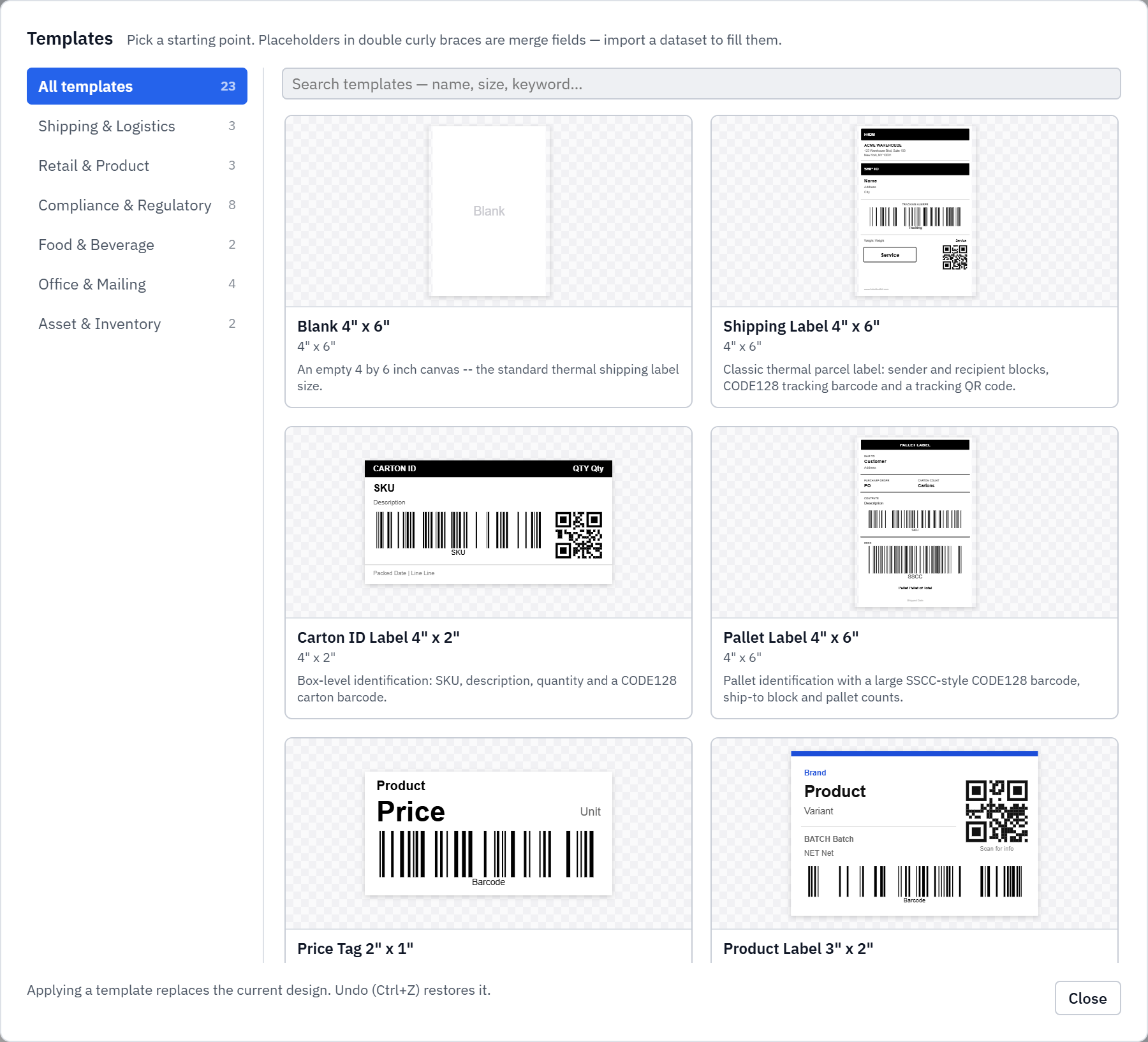
What is in the gallery
- Shipping & Logistics: a 4 by 6 parcel label, a carton ID label and an SSCC-style pallet label.
- Retail & Product: price tags, product labels and shelf-edge labels.
- Food & Beverage: ingredients and best-before labels, jar and bottle labels.
- Office & Mailing: address labels on common Avery sizes, name badges, binder spines.
- Asset & Inventory: asset tags and bin-location labels.
- Compliance & Regulatory: the full compliance set, from nutrition panels to GHS hazard labels.
Sample data, so nothing opens empty
A template that relies on merge fields used to open showing raw placeholders like {{ProductName}}. Now every data-driven template ships with a small set of realistic sample rows, so it opens looking like a finished label. You can see exactly how your columns will flow into the design, then swap in your own CSV or Excel file when you are ready. Switching to a different template asks first before it replaces your data, so an import you care about is never lost by accident.