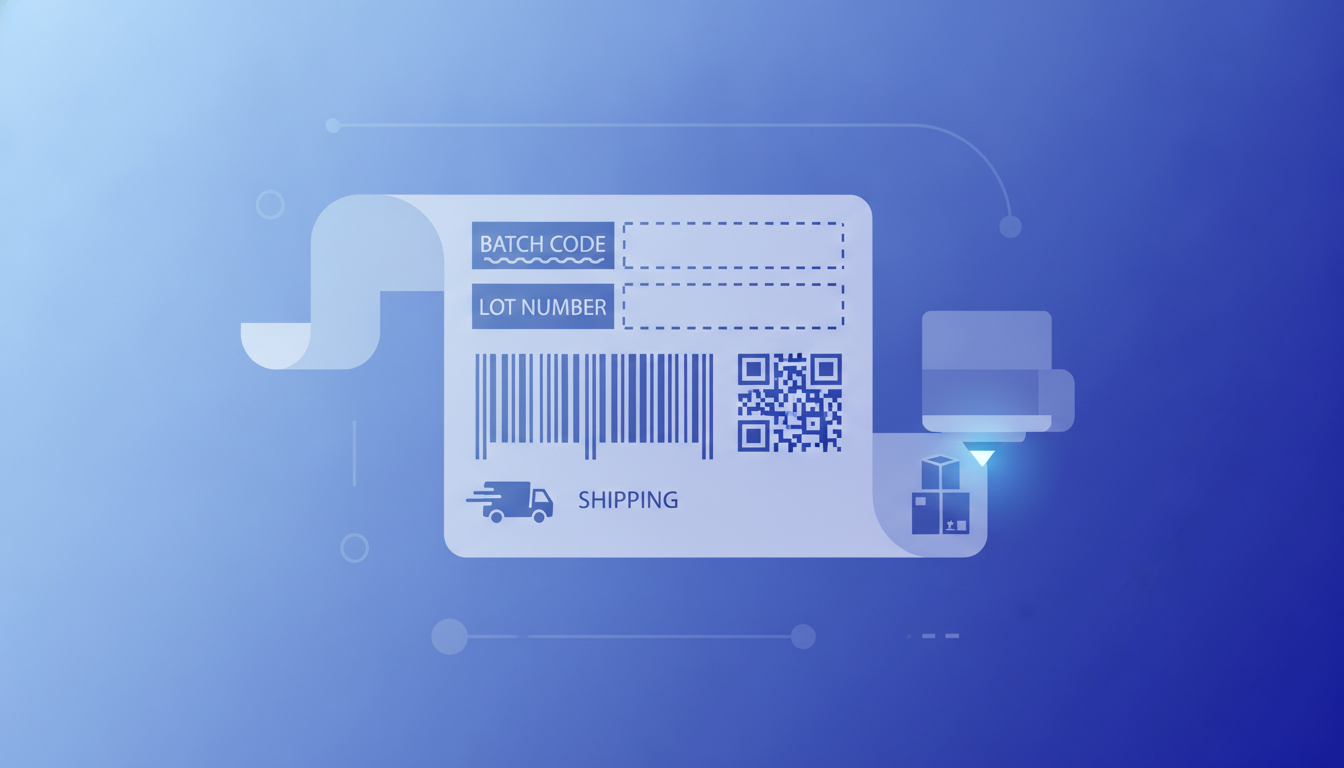
A batch code, also called a lot number or lot code, is a short identifier printed on a product label that ties every unit in a production run to a specific set of manufacturing records. Label Toolkit lets you design a lot number label once, connect a CSV column of batch codes, and print an entire run in minutes, all in your browser with no software to install. Knowing the right format before you print saves costly reprints and keeps you on the right side of FDA, GS1, and cosmetics regulations.
A batch code links finished goods to raw material records, production date, equipment, and facility so a recall can be targeted to exactly the affected units.
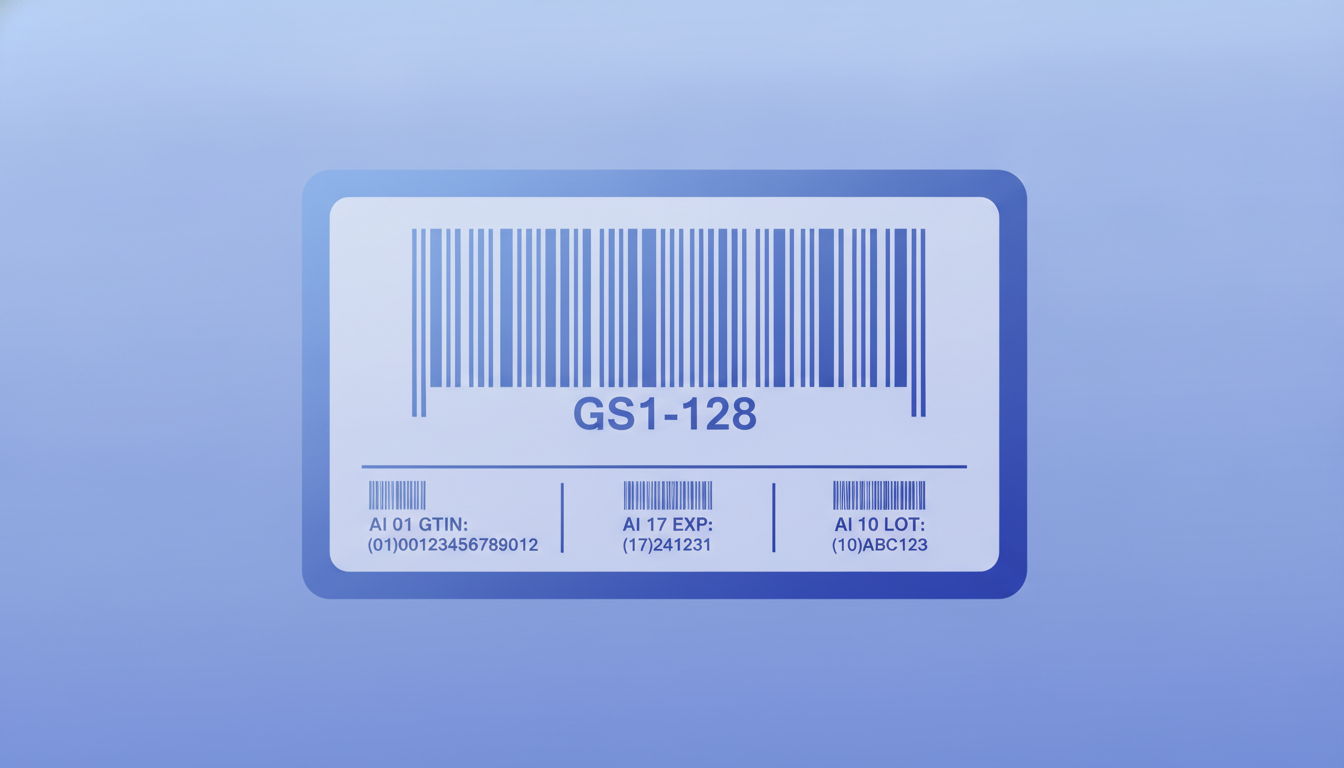
GS1 standardizes lot numbers under Application Identifier (AI) 10, encoded in a GS1-128 barcode; FDA FSMA 204 requires a lot number as a Key Data Element on foods by January 2026.
Formats vary by industry: food uses YYYYMMDD-plus-sequence, cosmetics often use a Julian-date cipher, pharmaceuticals follow FDA 21 CFR Part 211 lot numbering conventions.
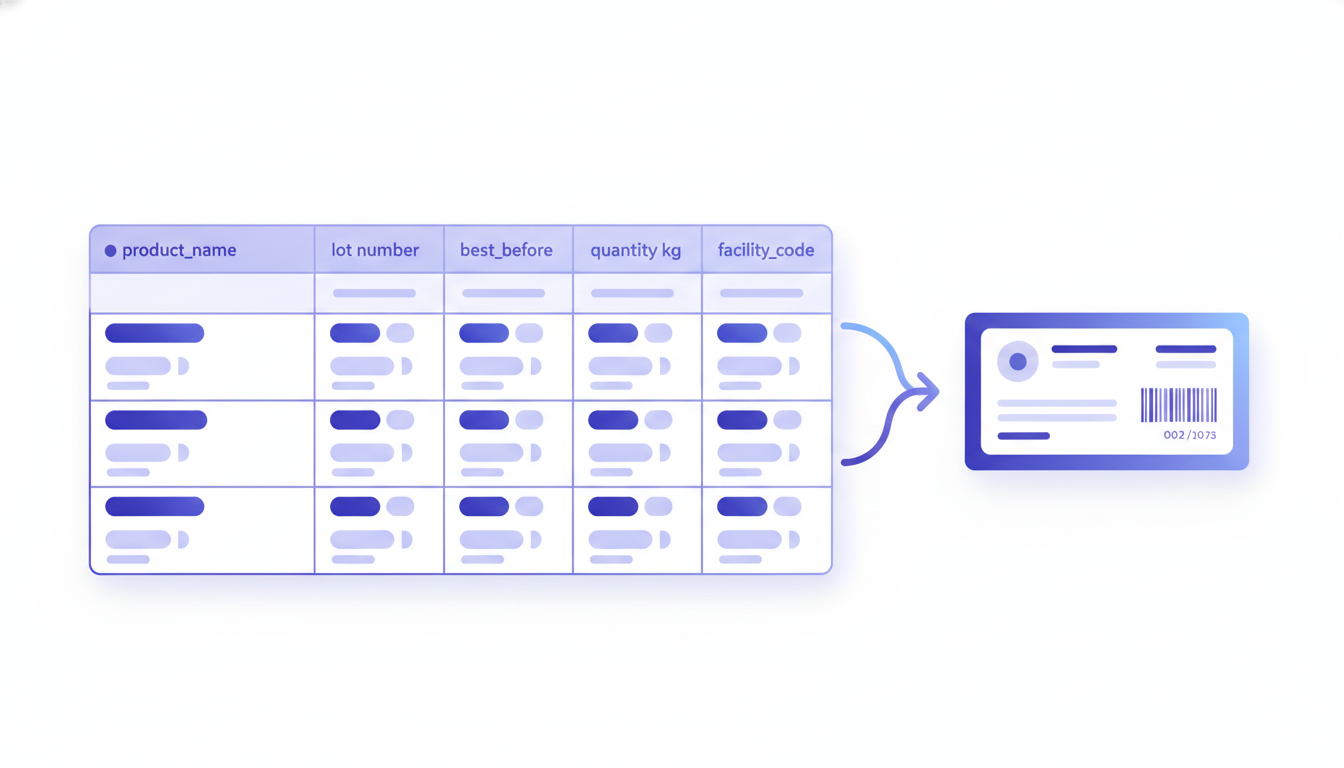
Label Toolkit data merge maps a lot_number column from a spreadsheet to a label field, so each label in a run prints the correct code automatically.
What is a batch code, exactly?
A batch code is an alphanumeric string, typically 4 to 20 characters, that a manufacturer assigns to every unit produced in one continuous production run under identical conditions. If a contamination event occurs, the batch code is the fastest path from a consumer complaint to the specific tank, shift, date, and ingredient lot that produced the affected product.
The terms batch code, lot number, lot code, and control number are used interchangeably across industries. Technically, lot refers to a quantity assembled and released together, while batch refers to a quantity produced together in one operation. In practice, regulators and standards bodies use both terms, often in the same document.
Why batch codes matter legally
Three regulatory frameworks make batch coding non-optional for most physical products sold in the United States and globally.
FDA FSMA Section 204 (food traceability)
The FDA Food Safety Modernization Act final rule on food traceability (21 CFR Part 1, Subpart S) lists lot number as a required Key Data Element (KDE) for foods on the Food Traceability List. By January 20, 2026, shippers and receivers of covered foods must be able to provide the lot number, traceability lot code source, and quantity within 24 hours of an FDA request. FDA FSMA 204 traceability rule details.
FDA 21 CFR Part 211 (pharmaceuticals)
Drug manufacturers must assign a lot number to each batch of a drug product. The lot number must appear on the label and must link to a batch production record that covers every step of manufacturing, testing, and release. The number itself has no mandated format, but it must be unique within a product and not reused.
EU Cosmetics Regulation (EC) No 1223/2009
Article 19 of the EU Cosmetics Regulation requires a batch number on every cosmetic product placed on the EU market. There is no prescribed format; manufacturers choose their own coding system. Many use a cipher-based Julian date code so the manufacturing date is not immediately legible to competitors.
Common batch code formats by industry
Industry
Typical format
Example
Human-readable?
Food and beverage
YYYYMMDD + sequential suffix
20250614-003
Yes
Pharmaceuticals (US)
Site code + Julian date + batch sequence
CHI-2251406-01
Partially
Cosmetics (EU cipher)
Letter-shifted Julian date
C4N (Year C=2024, day 4N=160)
No (intentional)
Medical devices (UDI)
GS1 AI 10 in a GS1-128 or Data Matrix barcode
(10)LOT2025A
Yes, with AI prefix
Contract manufacturing
Customer PO + line + date
PO9872-L2-0614
Yes
Wine and spirits
Bottling line + Julian day + year
L2-166-25
Partially
GS1 Application Identifier 10: the standard for lot numbers in barcodes
When a lot number must travel inside a barcode, GS1 defines its position using Application Identifier (AI) 10. An Application Identifier is a two-to-four digit prefix that tells any GS1-compliant scanner what data type follows. AI 10 means lot or batch number, and it can carry up to 20 alphanumeric characters.
In a human-readable string the AI is shown in parentheses: (10)LOT2025A. Inside the barcode the parentheses are omitted; the scanner reads the raw string 10LOT2025A and interprets the first two digits as the AI.
AI 10 almost always appears alongside other AIs in a GS1-128 barcode (the barcode symbology built on Code 128). A typical carton label encodes GTIN (AI 01), expiry date (AI 17), and lot number (AI 10) in a single barcode. The encoded string looks like this:
(01)00012345678905(17)271231(10)LOT2025A
The GS1 General Specifications define the full list of AIs, their formats, and their variable-length rules. GS1 General Specifications (gs1.org).
Batch code vs expiry date vs best-before date
These three fields often appear together on a label but serve different purposes. The batch code identifies the production run. The expiry date (or use-by date) tells consumers and retailers when to stop using the product. The best-before date indicates peak quality, not safety. All three can be on a single label; the batch code is the only one that lets a manufacturer pull the thread backward to raw materials and production records.
GS1 uses AI 17 for expiry date and AI 15 for best-before date, both in YYMMDD format. So a complete GS1-128 string for a food carton might be:
(01)00012345678905(15)261200(10)BT2025061401
That string encodes: GTIN 00012345678905, best-before December 2026, lot number BT2025061401.
How to design a batch code label in Label Toolkit
The steps below walk through building a food product label that prints a unique lot number and best-before date on each unit using data merge. This maps directly to the data merge workflows pillar and uses the same CSV-to-label process covered in the guide on printing labels from Excel for thermal printers.
Create your label canvas. Open Label Toolkit at /designer.html. Set your label size. A common food product label is 4 x 2 inches (101.6 x 50.8 mm). Set units to mm or inches in the unit selector.
Add a text field for the lot number. Insert a text element and type a placeholder such as {{lot_number}}. This double-brace syntax is the merge field token.
Add a text field for the best-before date. Insert a second text element with the token {{best_before}}.
Add a barcode field. Insert a Code 128 or GS1-128 barcode element. Set its data source to the merge field {{lot_number}}. For a full GS1-128 string, set the data to (10){{lot_number}} and enable GS1-128 mode so the encoder wraps the AI correctly.
Prepare your CSV. Create a spreadsheet with column headers matching your token names exactly: lot_number and best_before. Each row is one label. Save as CSV (UTF-8).
Upload the CSV. Open the Data Merge panel in Label Toolkit and upload your CSV. The preview shows the first row rendered on the canvas.
Preview all rows. Step through every row to catch any lot numbers that exceed the field width or contain characters the barcode symbology cannot encode.
Export. Choose PDF for desktop or office printing, or ZPL for direct-to-Zebra thermal printing. For ZPL, Label Toolkit generates one label format block per row with the correct ^FD (Field Data) values substituted.
Encoding a lot number in ZPL for a Zebra printer
If you are printing to a Zebra thermal printer and want to understand what Label Toolkit generates, here is a minimal ZPL snippet that prints a lot number as a Code 128 barcode plus human-readable text on a 4 x 2 inch label at 203 DPI (8 dots per mm):
Breaking that down: ^FO50,30 sets the field origin 50 dots from the left and 30 dots from the top. ^A0N,28,28 selects the scalable font at 28 x 28 dots. ^BCN,80,Y,N,N starts a Code 128 barcode, normal orientation, 80 dots tall, with the human-readable interpretation line printed below. ^FD supplies the data and ^FS closes the field. At 203 DPI, 50 dots equals about 6.3 mm from the edge.
For a GS1-128 lot number, change ^BCN to ^BCN,80,Y,N,N,A (the final A activates GS1-128 mode) and prefix the data with the AI: ^FD>810LOT2025061401^FS. The >8 is the FNC1 character in ZPL, which GS1 requires as the first character of a GS1-128 string.
Cosmetics batch codes: the Julian date cipher explained
Many cosmetics manufacturers do not want consumers to easily read the production date, so they encode it as a cipher. One common system assigns letters to years and alphanumeric characters to the Julian day (the sequential day of the year, 1 to 365). For example:
Year letter
Year
Julian day
Day characters
A
2021
001-009
01 to 09
B
2022
010-099
10 to 99
C
2023
100-365
A0 to Z5 (base-36 compression)
D
2024
Same scheme as above
E
2025
Same scheme as above
There is no single universal cosmetics cipher; each brand defines its own. If you need to decode a competitor's or supplier's batch code, tools like CheckCosmetic.net crowd-source cipher mappings for major brands. For your own products, document the cipher in your batch record system so quality and regulatory teams can decode it immediately.
What to put in your CSV for a lot number label run
A well-structured CSV for a food label run with batch codes might look like this:
Each row becomes one label. The lot_number column feeds both the barcode field and the human-readable text field. The best_before column feeds the best-before text. The quantity_kg and facility_code columns can populate additional label fields if your label design includes them, or be ignored if not.
Keep lot numbers to 20 characters or fewer for GS1-128 compliance. Avoid spaces inside the lot number string; use hyphens or underscores instead, as spaces can cause scanner firmware to misinterpret variable-length AI boundaries.
Quiet zone and barcode sizing for lot number barcodes
A Code 128 or GS1-128 barcode encoding a 15-character lot number at the minimum X-dimension of 0.495 mm (the GS1 minimum for retail) will be roughly 40 to 55 mm wide. Add a quiet zone (the blank space each side of the barcode) of at least 10X, so 10 times the X-dimension, which at 0.495 mm works out to about 5 mm on each side. On a 4 x 2 inch label that is achievable; on a 1 x 1 inch label you may need to shorten the lot number or switch to a 2D symbology like Data Matrix, which encodes the same data in roughly one-quarter the area. The article on barcode quiet zones has a full breakdown of minimum margins by symbology.
Frequently asked questions
What is the difference between a batch code and a lot number?
They mean the same thing in most regulatory contexts. "Batch" emphasizes that all units were produced in one operation under identical conditions; "lot" emphasizes that all units were released together. FDA, GS1, and the EU Cosmetics Regulation use the terms interchangeably or treat them as equivalent identifiers.
Where do I find the batch code on a product?
It is usually printed near the bottom of the label, near the best-before or expiry date, often preceded by the words "Lot", "Lot No", "L", or "Batch". On cosmetics it may be embossed on the packaging base. On cartons it is often encoded inside a GS1-128 barcode as AI 10, with the human-readable string shown below the barcode in the format (10)XXXXXXXX.
Is a batch code required by law on food products?
In the United States, FDA FSMA Section 204 requires a lot number as a Key Data Element for foods on the Food Traceability List starting January 20, 2026. In the EU, the General Food Law Regulation (EC) 178/2002 requires traceability records that implicitly require batch identification, and many member-state national laws require a visible lot mark.
Can I use a QR code instead of a barcode for the lot number?
Yes. A QR code or Data Matrix code can encode the GS1 lot number string using the GS1 Digital Link format. This is increasingly common for small packaging where a linear GS1-128 barcode would be too wide. Label Toolkit supports both QR and Data Matrix output from merge fields.
How many characters can a GS1 lot number have?
GS1 AI 10 supports variable-length alphanumeric data up to a maximum of 20 characters. The minimum is 1 character. If your lot number is shorter than 20 characters, GS1-128 uses a Function Code 1 (FNC1) character or a fixed-length field separator in the barcode to signal where the AI value ends.
Ready to print your first batch code label run? Create a free Label Toolkit account and use data merge to turn your lot number spreadsheet into a complete label run in minutes, no software install required.