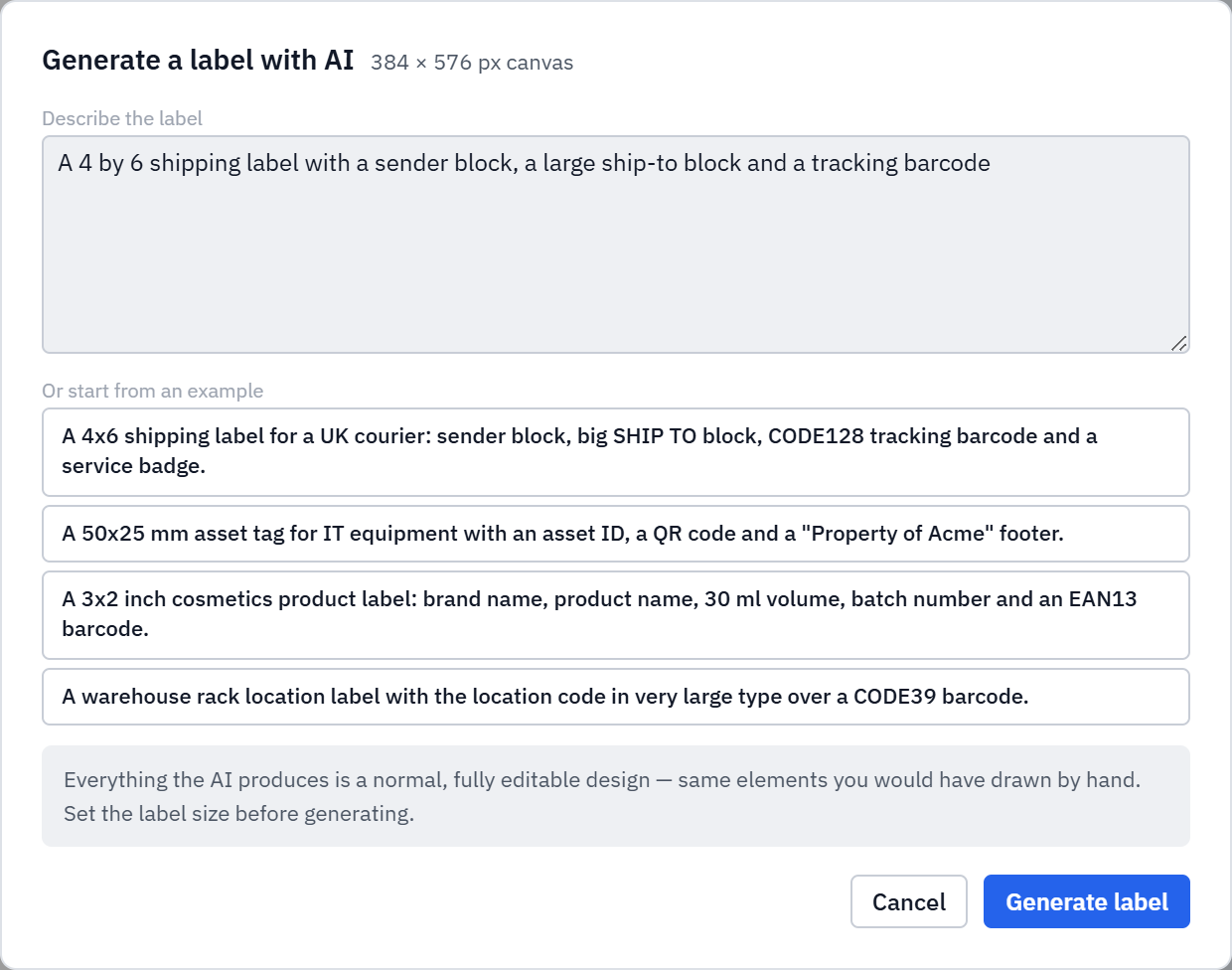
Sometimes you know exactly what a label should say but not where to start drawing it. Label Toolkit can now generate a label from a description. Type something like "a 4 by 6 shipping label with a sender block, a large ship-to block and a tracking barcode" and the AI lays out a finished, fully editable design. It is a head start, not a black box: what comes back is an ordinary label made of the same text, barcode and shape elements you would have placed by hand.
Describe the label in plain English and get a complete layout back.
Everything it produces is a normal design you can move, restyle and tweak.
If you have a dataset loaded, it wires your columns up as merge fields automatically.
Describe the label, or start from an example prompt. The result drops onto the canvas as editable elements.
How to write a good prompt
The more concrete you are about content and placement, the closer the first result lands. Useful things to mention:
The size, for example "4 by 6 inch" or "50 by 25 mm" (or set the label size first).
The blocks you want, such as a sender block, a big ship-to block, a price, a batch number.
The codes, for example "a CODE128 tracking barcode" or "an EAN13 barcode and a QR code."
Any emphasis, like "the location code in very large type."
A few example prompts are built into the dialog to get you started, from a courier shipping label to an IT asset tag to a cosmetics product label.
It knows your data
If you have already loaded a spreadsheet, the AI does not just write placeholder text. It connects the label to your actual columns, so a "product name" field becomes a merge field bound to your data and every row prints its own values. That turns a one-line description into a batch-ready design in a single step.
You are still the designer
Because the output is a standard label, nothing is locked. Move a block, change a font, swap a barcode format, or add your logo. Do not like the layout? Undo removes the whole thing in one step, since it was applied as a single change. Generate again with a sharper description and iterate.
Try it
Open the Label Toolkit editor, click the AI button, and describe your label. Prefer a proven starting point? Browse the template gallery instead. Both are free and need no signup.
#ai label generator #generate label #ai label maker #label design ai #text to label